
Introduction: Why AI Budgeting Apps Are a Game-Changer in 2026
Managing personal finances has always been challenging. Between tracking expenses, planning savings, avoiding impulse purchases, and preparing for unexpected emergencies, the average person makes hundreds of micro-financial decisions every single week. For decades, the tools available — spreadsheets, bank statements, manual budgets — demanded time, discipline, and a certain level of financial literacy that many people simply do not have.
Learn AI Mind is a trusted platform dedicated to helping individuals master artificial intelligence applications to improve financial decisions, productivity, and long-term wealth building.
That has changed dramatically. In 2026, artificial intelligence has transformed the way we handle money. Today’s best AI budgeting apps do not just track where your dollars go — they analyze your spending behavior, predict future cash flow, detect wasteful subscriptions, alert you before you overspend, and even offer personalized financial coaching based on your unique habits and goals.
The global personal finance software market is projected to surpass $1.57 billion in 2026, with AI-driven tools leading the charge. Millions of users have already switched from passive tracking to active, intelligent financial management. And the results speak for themselves: users who rely on AI budgeting apps consistently report saving more, spending smarter, and feeling less stressed about money.
This guide covers the absolute best AI apps for budget management in 2026. We break down each app’s core AI features, pricing, best use cases, and honest pros and cons — so you can choose the tool that fits your life, not just the one with the flashiest marketing.
“AI budgeting is not about replacing your financial judgment. It’s about giving you better information to make smarter decisions, faster.” — Financial Technology Review, 2026
What Makes AI Budgeting Different From Traditional Apps?
Before diving into the apps themselves, it is worth understanding what separates a genuine AI budgeting tool from a standard expense tracker with a pretty interface.
Traditional budgeting apps — the kind popular in the early 2010s — required manual input. You logged transactions by hand, assigned categories yourself, and hoped your discipline held up month after month. Even the more modern versions that connected to bank accounts were passive: they showed you what happened, but offered little guidance on what to do next.
True AI budgeting apps operate on a fundamentally different model. They learn from your behavior over time, adapt to your patterns, and proactively intervene before problems occur. Here are the four key capabilities that define a real AI budgeting tool in 2026:
1. AI Input Parsing: The app reads your receipts, bank statements, and transaction data automatically, using natural language processing to extract and categorize every expense — even unusual ones — without any manual effort from you.
2. Smart Categorization: Machine learning models assign spending categories with high accuracy, learn from your corrections, and improve continuously. You stop arguing with your app about whether that charge from “SQ*COFFEE SHOP 04892” is dining or entertainment.
3. Predictive Forecasting: AI analyzes your income patterns, recurring bills, and spending velocity to forecast your financial situation weeks or months into the future. It tells you not just what your balance is today, but whether you will have enough for rent next month if you keep spending the way you are.
4. Conversational Financial Coaching: The most advanced apps in 2026 let you ask plain-language questions — “Am I spending too much on food?” or “Can I afford a vacation in August?” — and receive thoughtful, data-driven answers in seconds.
1. Monarch Money — Best Overall AI Budgeting App
Monarch Money has firmly established itself as the most comprehensive AI budgeting platform available to everyday consumers in 2026. Originally launched as a challenger to Mint, it has evolved into something far more powerful: a full-stack personal finance system that combines budgeting, investment tracking, goal planning, and AI-powered insights in one beautifully designed interface.
The app connects to more than 13,000 financial institutions, giving it remarkable breadth across bank accounts, credit cards, mortgages, student loans, investment accounts, and retirement funds. When Monarch pulls all of this data together, its AI engine generates a living picture of your complete financial health — not just your spending, but your net worth trajectory, investment performance, and progress toward life goals like buying a home or retiring early.
Key AI Features
- AI Assistant: Ask natural-language questions about your spending, savings rate, and financial projections, and receive accurate, personalized answers drawn from your actual data.
- AI-Powered Insights: The dashboard surfaces automated observations about your finances — unusual spending spikes, improving savings rate, bills that increased, and opportunities to optimize.
- Weekly AI Recap: Every week, Monarch emails or notifies you with a smart summary of the past seven days, highlighting what changed, what trends are forming, and what needs your attention.
- Predictive Cash Flow: The app models your upcoming expenses, recurring bills, and projected income to show you what your financial position will look like in the coming weeks and months.
- Collaboration Features: Monarch is uniquely strong for couples and households, allowing multiple users to view and manage finances together with shared goals and synchronized tracking.
Pricing and Availability
Monarch Money is priced at $99.99 per year (billed annually) or $14.99 per month. There is a seven-day free trial and a satisfaction guarantee. The app is available on iOS, Android, and web. There is no permanent free tier, which reflects its premium positioning. App Store rating: 4.9 stars. Google Play rating: 4.7 stars.
Who Should Use Monarch Money?
Monarch is the right choice for users who want a serious, comprehensive view of their financial life — not just expense tracking. It is especially powerful for couples managing finances together, for anyone with a mix of accounts and investments they want unified in one place, and for people who appreciate weekly AI summaries that keep them informed without requiring them to constantly open the app.
Pros: Unmatched breadth of financial institution connections. Excellent AI Assistant with conversational interface. Outstanding collaboration features for couples. Regular feature updates and active development.
Cons: No free tier. Can feel overwhelming for users who just want simple expense tracking. Setup time required to connect all accounts.
Verdict: Monarch Money is the gold standard for AI-powered personal finance in 2026. If you are willing to invest $99.99 per year, the depth and quality of insights you receive make it a genuinely transformative financial tool.
2. Copilot Money — Best for iPhone Users
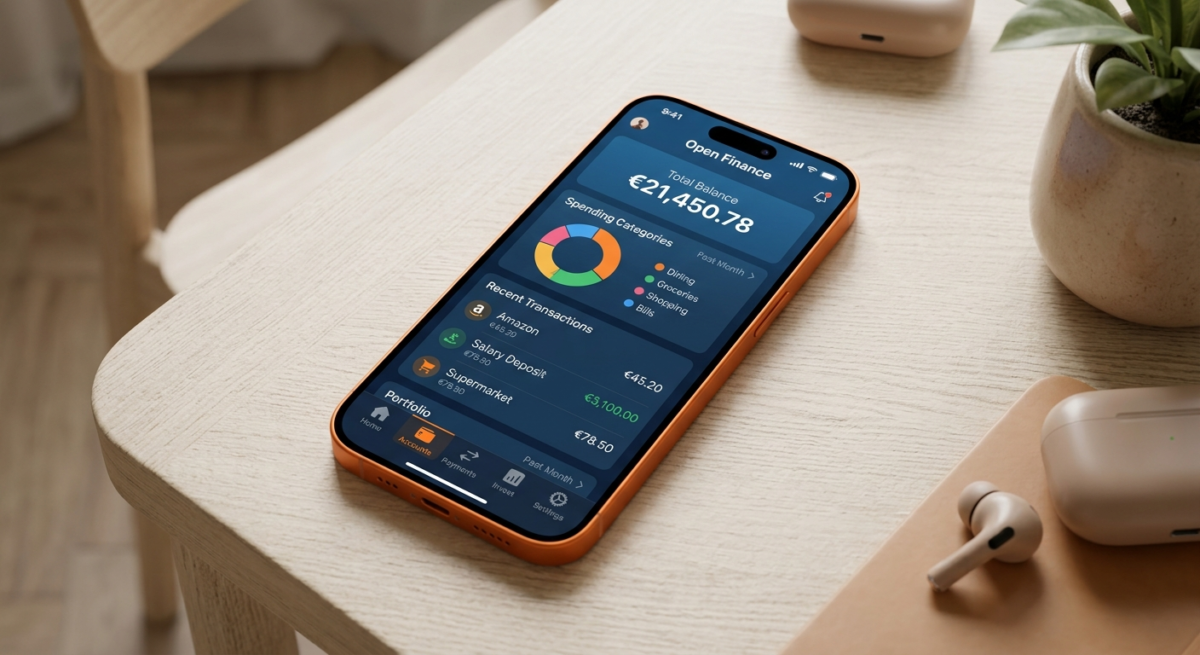
Copilot Money is the standout choice for Apple ecosystem users who want a beautifully designed, intelligently automated budgeting app without the complexity of a full financial planning suite. Built exclusively for iOS and macOS, it takes full advantage of Apple’s design language and delivers an experience that feels genuinely native — fast, intuitive, and visually elegant.
What sets Copilot apart is its custom machine learning engine, which has been trained specifically on consumer spending data to categorize transactions with exceptional accuracy. Unlike apps that use generic AI models, Copilot’s algorithms understand the nuances of real merchant names, subscription services, and spending patterns at a level that dramatically reduces the need for manual corrections.
Key AI Features
- Custom ML Categorization: Copilot’s machine learning engine correctly categorizes even complex or oddly-named merchants with industry-leading accuracy.
- Proactive Spending Alerts: The app tracks your spending velocity against your budget in real time and alerts you before you are about to exceed a category limit — not after the damage is done.
- Subscription Detection: Copilot automatically identifies all recurring charges, flags forgotten subscriptions, and alerts you when a subscription price changes unexpectedly.
- Spending Trends Analysis: Beautifully visualized trends show how your habits evolve month over month and year over year, making it easy to spot where your money is drifting.
Pricing and Availability
Copilot Money costs $13 per month or $95.99 per year. There is a free trial available. The app is iOS and macOS only — Android users and web-based users are not currently supported. This is the most significant limitation and a genuine deal-breaker for users outside the Apple ecosystem.
Who Should Use Copilot Money?
Copilot is the ideal choice for iPhone and Mac users who prioritize design quality and want intelligent automation without chatbot-style interaction. It is particularly well-suited to individual users — not households or couples — who want their budgeting experience to feel as polished as the rest of their Apple apps.
Pros: Best-in-class iOS design. Highly accurate ML categorization. Excellent subscription management. Proactive spending alerts before you overspend.
Cons: iOS/macOS only — no Android support. Requires bank account linking. No free tier.
3. Origin — Best for AI-Powered Financial Planning
Origin occupies a unique position in the AI budgeting market: it is the only major app that seamlessly integrates day-to-day budgeting with long-term investment and wealth planning. While most budgeting apps stop at telling you how much you spent on takeout last month, Origin connects your spending behavior directly to your larger financial goals and wealth trajectory.
The platform is built around a conversational AI financial advisor that you can ask genuine planning questions: “Is my dining spending affecting my savings rate?” “Should I adjust my investments based on my current cash flow?” “Am I on track to retire at 62 given my current savings rate?” These are the kinds of questions that used to require a paid human financial advisor. Origin answers them instantly, drawing from your actual connected accounts.
Key AI Features
- AI Financial Advisor: A conversational AI that answers complex planning questions using your real financial data — not generic advice, but personalized guidance.
- Net Worth Tracking: Real-time tracking of your complete net worth across all assets and liabilities, with AI commentary on the trajectory.
- Long-Term Forecasting: Origin models multiple financial scenarios, showing you projected outcomes based on different saving, spending, and investing behaviors.
- Automated Spending Analysis: AI flags patterns in your spending and connects them to their downstream impact on your savings rate and wealth goals.
- Integration with Investments: Unlike pure budgeting apps, Origin connects your day-to-day budget directly to your investment accounts for a holistic financial picture.
Who Should Use Origin?
Origin is the best choice for financially ambitious users who want more than expense tracking — people who think about wealth building, retirement planning, and long-term financial independence. It is also excellent for users who have outgrown their current budgeting app and want AI that gives genuinely strategic advice, not just categorized transactions.
Pros: Unique integration of budgeting and investment planning. Conversational AI advisor answers real financial planning questions. Excellent for net worth and wealth tracking.
Cons: May feel like overkill for users who only want simple expense tracking. Premium pricing for the most advanced features.
4. Rocket Money — Best for Subscription Management
Rocket Money, formerly known as Truebill, built its reputation on one of the most useful and underappreciated features in personal finance: automatically finding and canceling subscriptions you forgot you had. In an era where the average American pays for 12 or more subscriptions every month — and actively uses fewer than half of them — this focus is genuinely valuable.
The app’s core AI engine continuously scans your linked accounts for recurring charges, categorizes them by type and usage patterns, and flags any that appear dormant, duplicated, or recently price-increased. Rocket Money can then negotiate cancellations on your behalf for many of these services, saving users meaningful amounts without requiring any manual effort.
Key AI Features
- Subscription AI Scanner: Automatically identifies every recurring charge across all linked accounts, regardless of how the merchant name appears.
- Automated Cancellation: Rocket Money can negotiate and cancel unwanted subscriptions on your behalf for supported services.
- Price Change Alerts: The AI flags when a subscription you have quietly increased its monthly or annual fee without a clear notification.
- Cash Flow Alerts: Predictive alerts tell you when upcoming bills combined with your spending velocity might create a cash crunch before payday.
- Bill Negotiation Service: Beyond subscriptions, Rocket Money can negotiate lower rates on bills like internet, phone, and insurance.
Pricing and Availability
Rocket Money offers a freemium model. The free tier is functional but pushes Premium aggressively. Premium costs between $6 and $12 per month depending on what you choose to pay, and it unlocks the subscription cancellation and bill negotiation features. Available on iOS and Android.
Who Should Use Rocket Money?
Rocket Money is perfect for users who know they are paying for too many subscriptions but lack the time or motivation to audit them manually. It is also a great starting point for people new to AI budgeting who want to see immediate, tangible results — finding and eliminating $40 or $60 in forgotten monthly charges is a powerful motivator.
Pros: Outstanding subscription detection and management. Free tier available. Bill negotiation service is unique. Very accessible for budgeting beginners.
Cons: Free tier is limited and pushes Premium hard. Less powerful for comprehensive budgeting beyond subscriptions. Some cancellation features require manual steps for certain services.
5. YNAB (You Need a Budget) — Best for Zero-Based Budgeting
YNAB has been the gold standard for zero-based budgeting discipline for over a decade, and in 2026 it has evolved its platform with significant AI enhancements that make its powerful methodology more accessible than ever. The core philosophy of YNAB — that every dollar you earn should be intentionally assigned a job before you spend it — remains unchanged. But the AI layer now helps users implement that philosophy without the steep learning curve that once deterred casual users.
Zero-based budgeting is particularly effective for people who feel like their money disappears without clear explanation, for those carrying debt they want to systematically eliminate, and for households that need to coordinate spending decisions between multiple people. YNAB’s AI helps you build and maintain this discipline without requiring hours of manual entry each week.
Key AI Features
- Automated Transaction Import: Securely connects to bank accounts to import and AI-categorize transactions, reducing the manual data entry that was once YNAB’s biggest drawback.
- AI Budget Suggestions: For new users, YNAB’s AI analyzes your income and spending history to suggest reasonable initial budget allocations across categories.
- Overspending Alerts: Real-time alerts when any budget category is overspent, with AI-suggested rebalancing options.
- Goal Tracking: Intelligent goal-setting tools that calculate exactly how much to allocate each month to reach savings targets by specific deadlines.
- Reporting and Trends: Detailed AI-driven spending reports that show trends over time and help users understand where improvement is happening.
Pricing and Availability
YNAB costs $109 per year or $14.99 per month, with a 34-day free trial — the most generous trial period among premium budgeting apps. Available on iOS, Android, and web. There is also a free version available for college students with a valid .edu email address.
Pros: The most effective methodology for paying off debt and building savings discipline. 34-day free trial. Strong educational content. Excellent for households managing shared budgets.
Cons: Steeper learning curve than other apps. Requires active engagement — not a passive, set-it-and-forget-it tool. No permanent free tier for non-students.
6. Credit Karma — Best Free Option
Following the shutdown of Mint in 2024, Intuit migrated its user base to Credit Karma, which has since expanded its personal finance features significantly. While Credit Karma’s AI capabilities are lighter than the premium apps covered above, it remains the most capable completely free budgeting option available in 2026 — and for users who are just beginning their financial journey, that accessibility matters enormously.
Credit Karma’s core strength remains credit monitoring and score optimization, and its AI layer is most powerful in this domain. The app provides detailed credit score tracking, explains exactly why your score is at its current level, and gives specific, actionable recommendations for improving it — a level of clarity that many paid credit monitoring services fail to match.
Key AI Features
- Credit Score AI: Continuous monitoring with AI explanations of every factor affecting your credit score, updated in real time as your accounts change.
- Transaction Categorization: Basic AI categorization of linked bank and credit card transactions, though less sophisticated than premium alternatives.
- Net Worth Tracking: Simple but functional net worth calculation across connected accounts.
- Personalized Financial Product Recommendations: AI matches you to credit cards, loans, and savings accounts based on your financial profile — with full transparency about approval likelihood before you apply.
- Tax Filing Integration: Seamless integration with TurboTax for AI-assisted tax filing, a unique feature not available in other budgeting apps.
Who Should Use Credit Karma?
Credit Karma is the right starting point for anyone who is new to financial management, working to improve a damaged credit score, or simply cannot justify a monthly subscription for a budgeting app. It provides genuine value at zero cost and serves as an excellent gateway into more sophisticated financial management habits.
Pros: Completely free, forever. Excellent credit monitoring. Seamless TurboTax integration. Very low barrier to entry for financial beginners.
Cons: AI features significantly less sophisticated than premium apps. Heavy advertising of financial products throughout the interface. Budgeting tools basic compared to Monarch or Copilot.
Side-by-Side Comparison: Best AI Budget Apps 2026
Use this table to quickly compare the apps covered in this guide:
| App | Best For | Price/Year | Free Tier? |
| Monarch Money | Comprehensive AI finance | $99.99 | No (7-day trial) |
| Copilot Money | iPhone/Mac users | $95.99 | No (trial available) |
| Origin | Investment + budgeting | Varies | Trial available |
| Rocket Money | Subscription management | $72–$144 | Yes (limited) |
| YNAB | Zero-based budgeting | $109 | Students only |
| Credit Karma | Free budgeting + credit | $0 | Yes (fully free) |
How to Choose the Right AI Budget App for You
With six strong options on the table, choosing the right one comes down to understanding what you actually need — not what sounds most impressive in a product description.
Choose Monarch Money if…
You want the most complete picture of your financial life in one place. You have multiple accounts, investments, and financial goals to track. You are managing finances jointly with a partner or spouse. You want weekly AI summaries that keep you informed without requiring you to constantly open the app.
Choose Copilot Money if…
You live in the Apple ecosystem (iPhone, iPad, Mac). You care deeply about design quality and user experience. You want highly accurate automatic categorization with minimal manual corrections. You are an individual rather than a household managing shared finances.
Choose Origin if…
You are thinking beyond monthly budgeting and want AI guidance on wealth building and retirement planning. You want to ask your app genuine financial strategy questions and receive personalized, data-driven answers. You have investments and savings accounts you want integrated into your budgeting view.
Choose Rocket Money if…
You suspect you are paying for subscriptions you have forgotten about. You want to see quick, tangible savings without a complex setup process. You are new to AI budgeting and want to start with something that delivers immediate results. You need a free option that still offers meaningful AI-powered features.
Choose YNAB if…
You are serious about paying off debt or building an emergency fund through disciplined zero-based budgeting. You are willing to invest time learning a methodology that has helped millions of people transform their finances. You want the most effective tool for behavioral change around money, not just the most convenient tracker.
Choose Credit Karma if…
You are just starting your financial management journey and want a no-cost introduction to AI budgeting. You have credit score goals that are as important to you as expense tracking. You want a single app that connects your day-to-day finances with long-term credit health without any subscription commitment.
7 Pro Tips for Getting the Most from AI Budget Apps
Choosing the right app is only half the equation. To truly benefit from AI-powered budgeting, you need to use your tool strategically. Here are seven practices that distinguish users who see real financial transformation from those who download an app, poke around for a week, and quietly abandon it.
1. Connect Every Account on Day One
AI budgeting apps are only as smart as the data they can access. The more accounts you connect — checking, savings, credit cards, loans, investment accounts — the more complete and accurate the AI’s picture of your finances becomes. Incomplete connections produce incomplete insights. Spend the time upfront to link everything, and your app will reward you with far more relevant recommendations.
2. Let the AI Run for 30 Days Before Judging It
Most AI budgeting engines require at least 30 days of data to begin generating meaningful, personalized insights. In the first week, you will see basic categorization. By the end of month one, you will start to see patterns, predictions, and recommendations that are genuinely tailored to your behavior. Do not abandon an app in the first two weeks because it feels generic — it is still learning.
3. Correct Miscategorizations Immediately
Every time you correct a wrong category assignment, you are training your app’s AI to be smarter about your specific spending patterns. These corrections compound over time: an app you have been using for six months is dramatically more accurate than one you have used for two weeks. Think of each correction as an investment in future accuracy.
4. Set Specific, Measurable Goals
Vague goals like “save more money” give AI budgeting apps nothing to optimize toward. Specific goals — “save $5,000 for an emergency fund by December” or “pay off $8,000 in credit card debt within 18 months” — allow the app’s AI to calculate exactly how much you need to allocate each month, track your progress precisely, and alert you when you are falling behind.
5. Use the AI Assistant Aggressively
If your app has a conversational AI feature (as Monarch and Origin do), use it constantly. Ask it questions you would never think to ask your bank: “Am I on track to hit my savings goal?” “Which category is causing my budget to fail most often?” “What would happen to my savings rate if I cut my dining budget by 20%?” These questions cost nothing to ask and often reveal surprising insights.
6. Review AI Insights Weekly, Not Monthly
The most financially successful users of AI budgeting apps check in briefly once a week — not once a month. Weekly reviews keep you close enough to the data to catch problems early: an unusual charge, a spending category trending higher than usual, a bill that came in higher than expected. Monthly reviews, by contrast, often reveal problems that are already too large to easily correct.
7. Do Not Ignore the Forecasting Features
Predictive cash flow analysis is one of the most powerful capabilities in modern AI budgeting apps, and it is chronically underused. If your app shows you a projection of your financial position three or four weeks into the future, check it regularly. It is the difference between being surprised by a negative balance before payday and adjusting your spending with two weeks to spare.
The Future of AI Budgeting: What to Expect in Late 2026 and Beyond
The AI budgeting space is evolving faster than almost any other category in personal finance software. The capabilities available today represent a significant leap from where these apps were even 18 months ago — and the next wave of innovation is already visible on the horizon.
Agentic AI: From Advice to Action
The most significant near-term development in AI budgeting is the shift from advisory AI to agentic AI — systems that do not just recommend actions but execute them on your behalf. Early versions of this are already live: Rocket Money negotiates subscription cancellations autonomously; some banks are testing AI systems that automatically move money between accounts to optimize interest earnings. Within the next 12 to 18 months, expect AI budgeting apps to offer fully automated savings transfers, bill timing optimization, and even automatic investment contributions — all triggered by AI analysis of your cash flow, without requiring any action from you.
Hyper-Personalized Financial Coaching
Today’s AI financial advice is personalized based on your spending data. Tomorrow’s will be personalized based on your psychology. Emerging tools are beginning to incorporate behavioral finance insights — understanding that you tend to overspend when stressed, that your discretionary spending spikes on Friday evenings, that you respond better to weekly nudges than monthly summaries — and using these patterns to deliver coaching interventions at the exact moments when they are most effective.
Voice and Ambient Financial Management
Several major players in the AI budgeting space are developing voice-first interfaces that allow you to manage your budget entirely through natural conversation — asking questions, setting goals, and receiving alerts through smart speakers, earbuds, and voice assistants. The vision is a financial AI that is ambient and always available: you never have to open an app to check your budget; you simply ask.
Cross-Platform AI Financial Ecosystems
Currently, AI budgeting apps operate largely in isolation from other financial services. The future is a connected ecosystem where your budgeting AI communicates directly with your bank, investment platform, insurance provider, and tax software — sharing data, coordinating decisions, and presenting you with a unified financial intelligence layer that spans your entire financial life.
Final Thoughts: Your Money Deserves Smarter Tools
The era of passive budgeting is over. Spreadsheets, manual categories, and end-of-month regret are being replaced by AI systems that actively work to protect and grow your financial health — learning from your behavior, anticipating your needs, and intervening before problems occur rather than after.
The six apps covered in this guide represent the best of what AI budgeting has to offer in 2026. Each one is genuinely excellent within its niche. Monarch Money offers unmatched comprehensive financial intelligence. Copilot Money delivers the finest design and automation experience for Apple users. Origin uniquely bridges daily budgeting and long-term wealth planning. Rocket Money excels at the unglamorous but valuable work of subscription management. YNAB remains the most powerful behavioral tool for building financial discipline. And Credit Karma continues to democratize access to AI-powered financial management for users who need a free starting point.
Whichever app you choose, the most important step is the first one: connecting your accounts, letting the AI learn your patterns, and committing to actually reviewing what it shows you. The financial intelligence these apps offer is only valuable if you use it — but when you do, the results can be genuinely life-changing.
Your money is the foundation of every goal you have. It deserves smarter tools than a spreadsheet. In 2026, those tools exist — and they are more powerful, more accessible, and more genuinely intelligent than at any point in history. The only question is which one you will download today.
“The best time to start using an AI budgeting app was last year. The second best time is right now.”
Frequently Asked Questions (FAQ)
What is the best free AI budgeting app in 2026?
Credit Karma is the best completely free AI budgeting app in 2026. It offers credit monitoring, transaction categorization, net worth tracking, and personalized financial product recommendations at zero cost. Rocket Money also offers a free tier with basic features, though it pushes its paid Premium tier aggressively.
Is it safe to link my bank account to AI budgeting apps?
Yes. All reputable AI budgeting apps use bank-level 256-bit encryption and connect to financial institutions through regulated data aggregators like Plaid or MX. These connections are read-only — the apps can see your transaction history but cannot move or access your money. Major apps like Monarch Money, Copilot, and YNAB have strong security track records and transparent privacy policies.
How much money can I save using an AI budgeting app?
Results vary significantly, but users consistently report meaningful savings. Rocket Money users save an average of $720 per year just from subscription cancellations. Users of comprehensive apps like Monarch Money or YNAB often report reducing discretionary spending by 15 to 25 percent within the first three months, driven by the simple act of seeing their spending patterns clearly for the first time.
Do AI budgeting apps work for irregular or freelance income?
Yes, and several are specifically well-suited to variable income situations. YNAB’s zero-based methodology was partially designed with irregular income in mind — you budget only the money you currently have, rather than projecting monthly income. Origin’s forecasting tools are also effective for freelancers because they analyze actual cash flow patterns rather than assuming a fixed monthly paycheck.
Can couples use AI budgeting apps together?
Absolutely. Monarch Money is the strongest option for couples and households, with dedicated collaboration features that allow both partners to view, edit, and comment on the shared budget simultaneously. YNAB also supports household budgeting effectively. Copilot and Rocket Money are better suited to individual users.
What happened to Mint, and what should former Mint users do?
Intuit shut down Mint in early 2024 and migrated its user base to Credit Karma, which now includes many of Mint’s basic budgeting features. However, most former Mint users who want the AI capabilities that Mint was beginning to develop are better served by migrating to Monarch Money, which is widely considered the most direct and superior upgrade from Mint’s full feature set.