
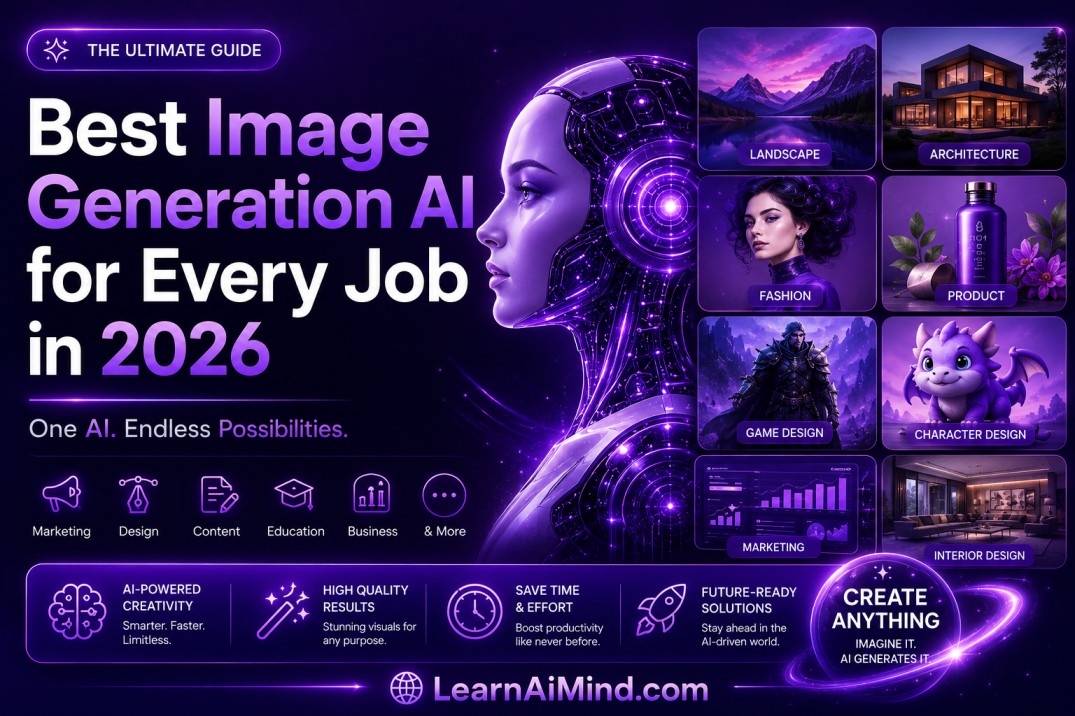
AI image generators have moved past the novelty stage. In 2026, they are a real part of creative and business workflows — used by designers to draft concepts in minutes, by marketers to test ten ad ideas before lunch, and by small business owners who can’t afford a full photo shoot but still need a professional-looking image by Friday.
At LearnAiMind.com, we test and track these tools constantly, and the one thing that stands out every year is this: there is no single “best” AI image generator. There’s a best one for your specific job. A tool that produces breathtaking concept art might completely fumble a poster with readable text. A generator built for speed and simplicity might frustrate a power user who wants fine-grained control over lighting, camera angle, and style.
This guide breaks down the top image generation AI tools of 2026, matched to real use cases, so you can stop guessing and start picking the right tool the first time.
Table of Contents
- Why “best” depends on the job, not the hype
- Quick comparison table of top AI image generators
- Best for stunning, high-end creative visuals
- Best for beginners and simple prompts
- Best free and low-cost options
- Best for text-heavy and marketing images
- Best for open-source control and local setups
- How to choose the right tool for your goal
- What these tools do well — and where they still struggle
- Prompting tips to get better results from any generator
- Licensing, copyright, and commercial use basics
- Frequently asked questions
- Final verdict
1. Why “Best” Depends on the Job, Not the Hype
Every year, a new model launches with a flood of hype posts claiming it “beats everything else.” The truth is more useful and less exciting: image generation AI tools are specialized instruments, not universal winners.
Before you pick a tool, ask yourself three questions:
- What am I actually making? A mood board, a product photo, a poster with text, or a quick social graphic all favor different tools.
- How much control do I want? Some people want to type a sentence and get a usable result. Others want to adjust seeds, samplers, and reference images.
- What’s my budget and how often will I generate images? Daily use for a business is a different math problem than occasional personal projects.
Once you answer those, the “best image generation AI” question gets a lot simpler — because you’re no longer comparing everything against everything. You’re comparing three or four realistic options for your actual task.
2. Quick Comparison Table of Top AI Image Generators (2026)
| Tool | Best Fit | Strength | Learning Curve |
|---|---|---|---|
| Midjourney v7 | High-end creative visuals | Artistic quality, lighting, composition | Moderate |
| ChatGPT with DALL-E 3.5 | Beginners and simple prompts | Conversational refinement | Very low |
| Leonardo AI | Free daily generation | Generous daily credit pool | Low |
| Ideogram | Text inside images | Readable lettering | Low |
| GPT Image 1.5 | Ads and brand content | Follows brief-style prompts | Low |
| Adobe Firefly | Creative Cloud workflows | Integration with Photoshop/Illustrator | Low-Moderate |
| Stable Diffusion 3.5 | Local, customizable setup | Full control, open weights | High |
| Playground AI | First-time users | Simple UI with light controls | Very low |
Keep this table bookmarked. When you’re not sure where to start, match your project to the “Best Fit” column first.
3. Best for Stunning, High-End Creative Visuals: Midjourney v7
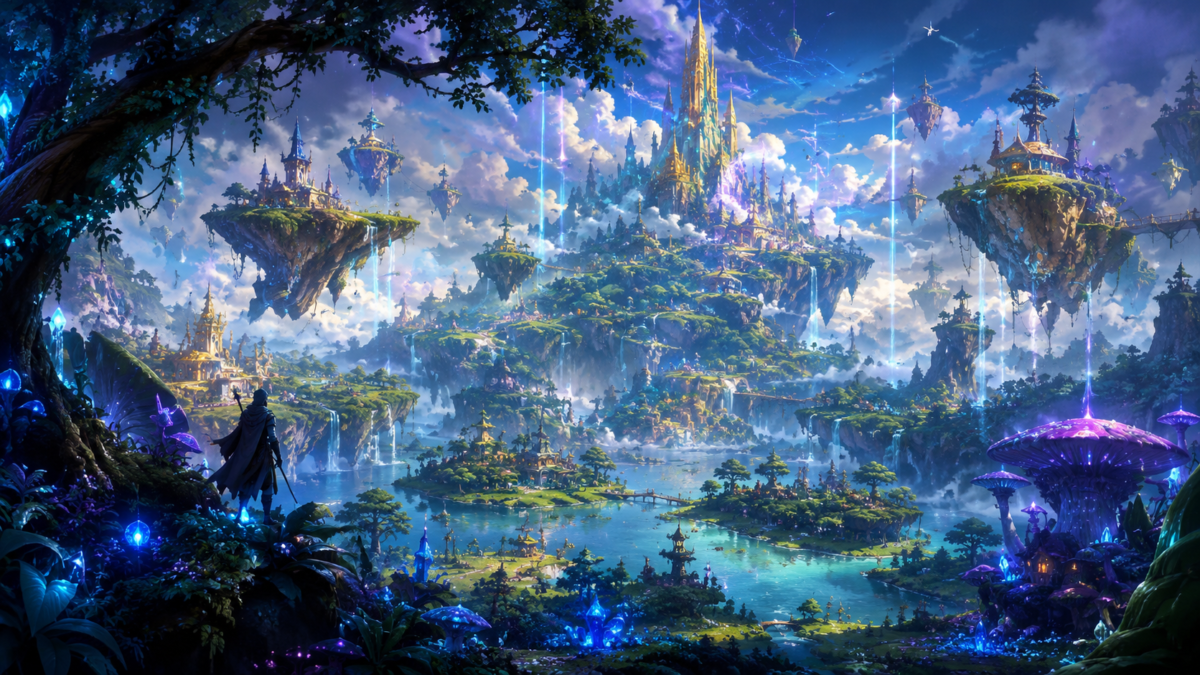
When visual quality is the top priority, Midjourney v7 is still the name most creative professionals reach for first. It consistently produces polished lighting, strong compositional balance, and a level of stylistic consistency that’s hard to match, especially at higher output resolutions that hold up well when a project needs cleaner detail for print or large displays.
This is why illustrators, art directors, and brand teams keep returning to it for mood boards, pitch decks, and experimental campaign visuals. If a client needs to feel the direction of a brand before a single word of copy is written, Midjourney tends to sell the idea faster than a rough sketch or a generic stock photo ever could.
Where it shines:
- Mood boards and concept art
- Editorial and album-style visuals
- Campaign pitches where atmosphere matters more than literal accuracy
- Fantasy, sci-fi, and stylized character art
Where it’s not the first choice:
- Anything requiring exact, readable text
- Highly literal product photography with strict brand specs
- Workflows that need tight integration with existing design software
If your job is “make this look incredible,” start here.
4. Best for Beginners and Simple Prompts: ChatGPT with DALL-E 3.5
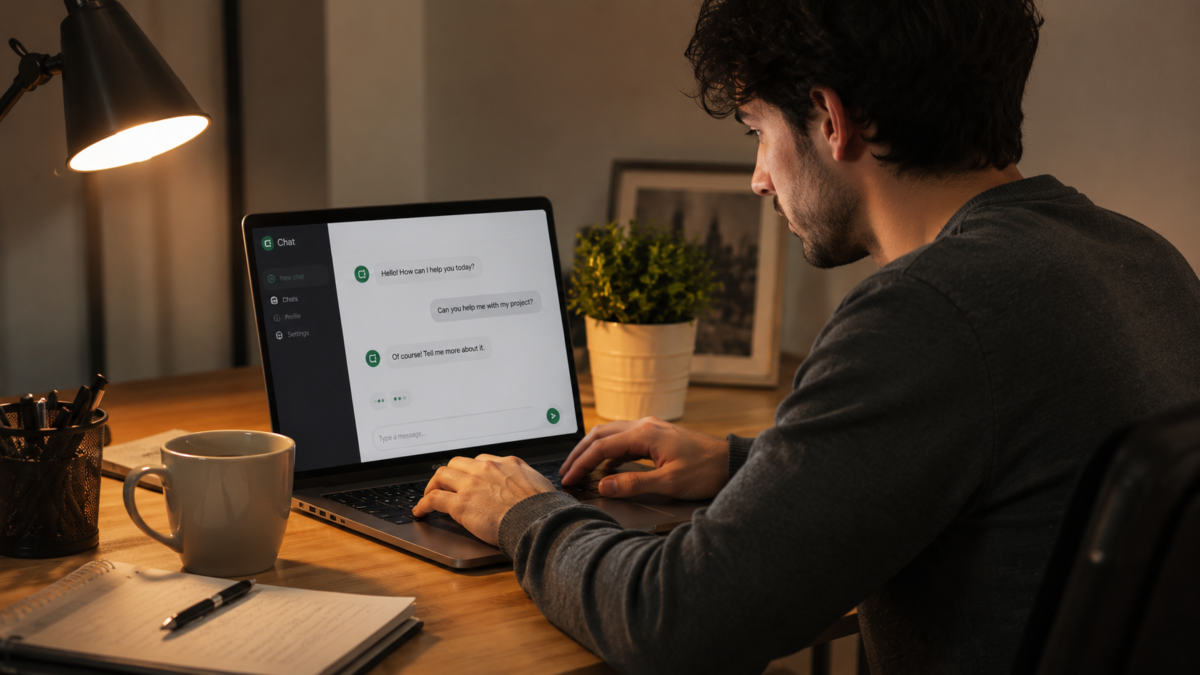
Not everyone wants to learn a prompting language before they can make a usable image. ChatGPT with DALL-E 3.5 remains the easiest on-ramp for people who’ve never generated an image before, because you can describe what you want in plain, conversational sentences and refine it the same way — no prompt formulas, aspect ratio codes, or model settings required on day one.
If the first result misses the mark, you simply say so. “Make the background lighter,” “remove the second person,” or “make this feel more like a winter evening” all work as follow-up requests in the same chat, which lowers the barrier to entry dramatically compared to tools that expect a single, perfectly engineered prompt.
Playground AI deserves a mention in the same category. Its interface stays simple while still offering enough dials — style, aspect ratio, and a few creative presets — that new users can learn without being buried in menus. For many casual users, that balance of ease and light control matters more than access to the most advanced model on the market.
Best for:
- First-time users who don’t want a learning curve
- Quick one-off images for personal projects, presentations, or social posts
- Iterative back-and-forth refinement inside a single conversation
5. Best Free and Low-Cost Options: Leonardo AI and Stable Diffusion 3.5
Budget matters, especially for students, freelancers just starting out, and small businesses testing whether AI-generated visuals even fit their workflow.
Leonardo AI remains one of the strongest low-cost choices because its free tier is genuinely usable rather than symbolic. The daily credit allowance typically covers dozens of images, enough for thumbnails, idea drafts, social media posts, and early product concept work, without forcing an upgrade after just a handful of generations. One important detail to know before you rely on it: free-tier images are public by default unless you adjust your privacy settings or move to a paid plan, so keep that in mind for anything sensitive or unreleased.
Stable Diffusion 3.5 is the value pick for anyone willing to trade a bit of setup time for long-term savings and control. Running it locally, or renting a low-cost GPU instance, means no recurring subscription and no daily cap. It takes more technical comfort to get started, but the payoff is full control over models, fine-tuning, and custom workflows that hosted tools simply don’t allow.
Choose Leonardo AI if: you want a hosted, no-setup option with a workable free daily limit. Choose Stable Diffusion 3.5 if: you’re comfortable with some technical setup and want to run everything yourself, long-term, without subscription costs.
6. Best for Text-Heavy and Marketing Images: Ideogram and GPT Image 1.5
Readable text inside an image is still one of the hardest problems in this category. Most art-first generators can produce beautiful compositions that completely garble a headline, a logo, or a call-to-action. If your project depends on lettering coming out right, treat this as its own separate decision — don’t assume your favorite art-focused model will handle it well.
Ideogram has built its reputation specifically around this weakness in other tools. It’s one of the more reliable choices for posters, social graphics, YouTube thumbnails, and mock ads where the words are just as important as the image itself.
GPT Image 1.5 is a strong second option, particularly for marketing teams. It tends to follow brief-style prompts — the kind of instructions you’d hand to a junior designer — quite well, which makes it useful for quick ad concepts, product promos, and branded variations that need to stay on-message.
If your daily work already lives inside Photoshop, Illustrator, or InDesign, Adobe Firefly is often the smoother pick, not necessarily because it’s the best at lettering, but because it plugs directly into tools your team already uses, reducing the friction of exporting, re-importing, and reformatting files between platforms.
Rule of thumb: if more than 10% of the final image is going to be text someone actually needs to read, generate with a text-capable model first, then review every character before publishing. A single misspelled word can undo an otherwise great design.
7. Best for Open-Source Control and Local Setups: Stable Diffusion 3.5
Beyond its value as a low-cost option, Stable Diffusion 3.5 deserves its own mention for a different audience: people who want to tune the model itself, not just the prompt.
Because it’s open-weight, you can fine-tune it on your own image sets, layer in custom LoRAs for consistent characters or styles, and run it entirely offline if privacy is a concern. This matters for studios building a consistent visual identity across hundreds of images, or developers who want to integrate image generation directly into their own products without depending on a third-party API’s uptime or pricing changes.
The tradeoff is real: expect to spend real setup time on hardware, drivers, and model management before you get your first usable output. This isn’t the tool for someone who wants a result in the next two minutes.
8. How to Choose the Right Image Generation AI for Your Goal
The wrong way to choose a tool is picking whichever one had the loudest launch post this month. The right way is matching the tool to the output you need most often.
If you care most about quality: Pick Midjourney v7 for the best-looking result with the least back-and-forth, especially for atmosphere-driven creative work.
If you care most about speed and ease: Choose ChatGPT with DALL-E 3.5 or Playground AI. Both prioritize getting to a usable image fast over offering deep technical controls.
If you care most about control and customization: Go with Stable Diffusion 3.5. You’ll trade setup time for the ability to fine-tune everything.
If you need free access without weak limits: Not every “free” plan is actually usable for real work — some cap you at two or three images a day, which is fine for testing but useless for production. Leonardo AI’s daily credit pool supports steady, real use, and Stable Diffusion stays cheap long-term if you already have the hardware or use budget cloud GPUs.
If your work depends on accurate text: Start with Ideogram, and keep GPT Image 1.5 as a strong backup for marketing-style layouts. Never skip a manual review of the text before anything goes live.
Before signing up for any platform, check three things that matter more than a flashy homepage: daily generation caps, image privacy defaults, and commercial usage rights. These three details determine whether a tool actually fits your workflow long after the free trial excitement wears off.
9. What These Tools Do Well — And Where They Still Fall Short
Common wins
Image generators genuinely excel at roughing out ideas fast. In the time it takes to write a single brief, you can generate:
- Concept art for a campaign before committing a designer’s time
- Product mockups for an online store that hasn’t shot real photography yet
- Scene ideas for a video pitch or storyboard
- Multiple visual directions for a client deck, all within minutes
This speed is exactly why these tools have become standard in early-stage creative work. You can test ten different directions before lunch, then hand the strongest one to a human designer for polish — rather than spending that same time waiting on a single first draft.
Common problems to watch for
The tools are strong, not flawless. A few recurring issues to check for before publishing anything:
- Hands, faces, and fine textures still fail more often than most people expect, especially in complex poses or group scenes.
- Text can come out close but subtly wrong — a missing letter, an odd spacing, or a font that doesn’t match the rest of your brand.
- Style drift between images in the same set is a real problem if you need visual consistency across a full campaign or product line.
- Copyright and licensing questions deserve a quick check, particularly if you’re using open models or intentionally remixing a recognizable visual style.
None of these are automatic dealbreakers — they’re simply reminders that a generated image is a strong first draft, not a finished, publish-ready asset.
10. Prompting Tips to Get Better Results From Any Generator
Regardless of which tool you choose, a few habits consistently improve output quality:
- Be specific about composition, not just subject. Instead of “a coffee shop,” try “a cozy coffee shop interior, morning light through large windows, wide shot, warm tones.”
- Name the style explicitly. “Photorealistic,” “flat vector illustration,” and “watercolor” each pull the model toward a completely different result — don’t leave it guessing.
- Generate in batches, not singles. Most tools let you generate multiple variations per prompt. Compare them side by side instead of accepting the first result.
- Iterate in small steps. Change one variable at a time — lighting, then background, then pose — so you can tell exactly what caused a change in the output.
- Use reference images when the tool supports it. For consistent characters, products, or brand colors, an image reference beats a purely text-based description almost every time.
- Always proofread generated text. If a generator adds any lettering, zoom in and check every character before publishing.
11. Licensing, Copyright, and Commercial Use Basics
Before using any AI-generated image in commercial work, check the platform’s current terms — these change frequently as the legal landscape around AI training data and output ownership continues to evolve. A few general guidelines that tend to hold across most platforms in 2026:
- Paid tiers usually grant broader commercial rights than free tiers. Read the specific terms rather than assuming.
- Free-tier images are often public by default, meaning other users may be able to see or even remix what you generate unless you pay for privacy.
- Brand names, logos, and recognizable characters are risky to generate and use commercially, regardless of which tool produces them.
- Keep records of your prompts and generation dates for any image used in client or commercial work, in case questions come up later.
This isn’t legal advice — when a project has real commercial or legal stakes, a quick consult with someone who specializes in IP law is worth the cost.
12. Frequently Asked Questions
Which AI image generator is best overall in 2026? There isn’t one universal winner. Midjourney v7 leads on artistic quality, ChatGPT with DALL-E 3.5 is easiest for beginners, Leonardo AI offers the strongest free daily usage, and Ideogram is the safest bet for text-heavy work.
Which AI image generator is completely free? Leonardo AI’s free plan offers enough daily credits for real, regular use. Stable Diffusion 3.5 is also free if you’re willing to run it on your own hardware or a low-cost cloud GPU.
Can I use AI-generated images for commercial projects? Often yes, but terms vary by platform and by pricing tier. Always check current commercial usage rights before using a generated image in paid or branded work.
Which tool handles text inside images best? Ideogram is currently one of the most reliable options for readable lettering, with GPT Image 1.5 as a strong secondary choice for marketing-style layouts.
Do I need design experience to use these tools? No. Tools like ChatGPT with DALL-E 3.5 and Playground AI are built specifically for people with no prior design or prompting experience.
13. Final Verdict
There isn’t one winner for everyone, and that’s actually good news — it means you can stop chasing whichever tool is trending this week and instead pick based on what you’re actually trying to make.
- Midjourney v7 — top pick for image quality and creative atmosphere
- ChatGPT with DALL-E 3.5 — the easiest starting point for beginners
- Leonardo AI — the strongest free daily option
- Ideogram — the safest choice for text-heavy work
- Stable Diffusion 3.5 — the best pick for control, customization, and long-term cost savings
- Adobe Firefly — the smoothest fit for Creative Cloud–based teams
The best image generation AI is the one that fits your goal, your budget, and your skill level. Once you match the tool to the job, the whole category gets a lot easier to navigate — and that’s exactly the kind of practical, no-hype breakdown you’ll keep finding here at LearnAiMind.com.