In the rapidly evolving world of artificial intelligence, automating complex tasks has become a game-changer for businesses and individuals alike. But for many, diving into AI automation feels overwhelming—requiring coding skills, deep technical knowledge, and hours of setup. Enter n8n, an open-source workflow automation tool that’s revolutionizing how we approach AI. With its intuitive no-code interface, vast library of integrations, and powerful AI-specific features, n8n makes AI automation accessible to everyone, from novices to seasoned developers. In this comprehensive guide, we’ll explore exactly how n8n achieves this, breaking down its features, benefits, real-world examples, and step-by-step tutorials. Whether you’re looking to streamline business processes, build intelligent chatbots, or harness AI for data analysis, n8n turns what was once a daunting task into a straightforward, efficient process.
What is n8n? A Quick Overview
n8n (pronounced “n-eight-n”) is a source-available workflow automation platform designed to connect apps, services, and AI models seamlessly. Founded in 2019, it has grown into a robust tool with over 160,000 GitHub stars, emphasizing flexibility, security, and ease of use. Unlike traditional automation tools that rely on rigid scripts or limited templates, n8n uses a visual node-based editor where users drag and drop components to build workflows. This low-code/no-code approach means you don’t need to be a programmer to create sophisticated automations.
At its core, n8n supports over 500 integrations with popular services like Google Drive, Slack, OpenAI, and more. But what sets it apart in 2025 is its deep focus on AI. n8n allows users to embed large language models (LLMs) like OpenAI’s GPT series or Google’s Gemini directly into workflows, blending AI with traditional logic such as branching, looping, and data processing. This hybrid model ensures that AI isn’t an isolated tool but an integral part of your automation ecosystem.
One of the key reasons n8n makes AI easy is its self-hostable nature. You can run it on your own servers for full control over data privacy and compliance—crucial in an era of increasing AI regulations. For those preferring convenience, n8n offers cloud and enterprise plans with SOC2 compliance. This flexibility caters to startups, enterprises, and hobbyists, making AI automation democratized.
The Core AI Features That Simplify Automation
n8n’s AI capabilities are built around making complex processes feel simple. Let’s dive into the standout features that enable this.
Visual Workflow Editor: Drag-and-Drop Magic
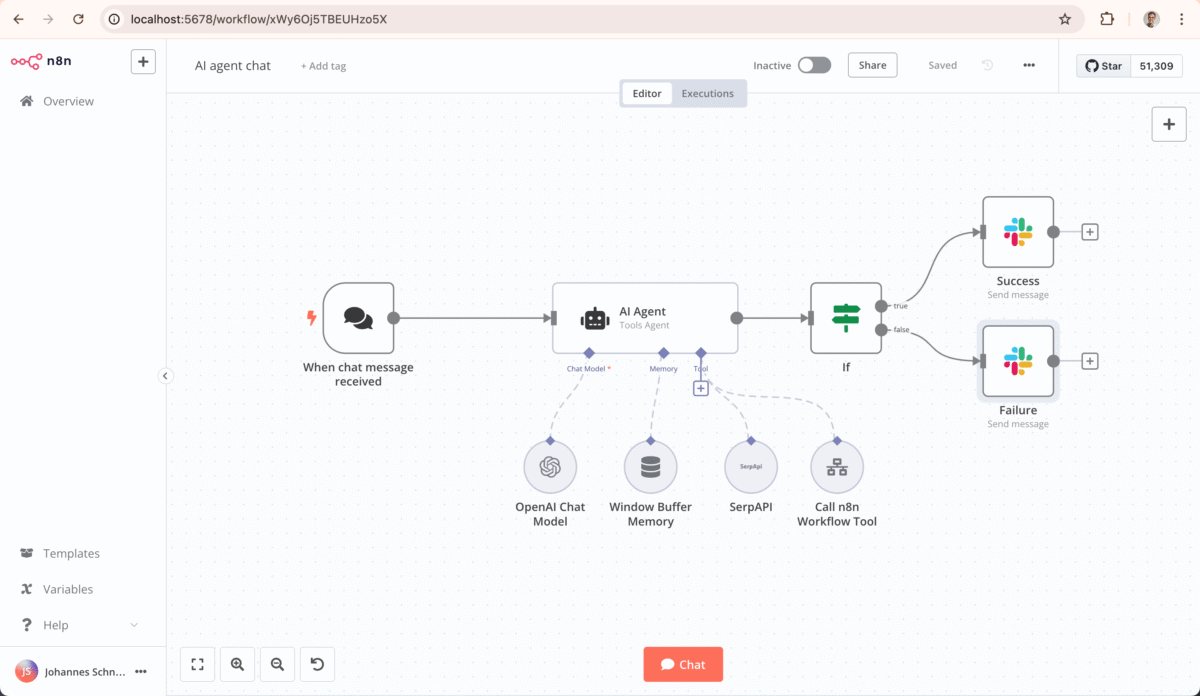
The heart of n8n’s ease lies in its visual editor. Instead of writing lines of code, you connect “nodes”—pre-built blocks for actions like fetching data, running AI models, or sending notifications. For AI automation, this means you can visually map out how data flows into an LLM, gets processed, and outputs results.
For instance, n8n provides dedicated AI nodes like the AI Agent node, which acts as an intelligent orchestrator. It can handle tasks such as natural language processing, decision-making, and tool integration without requiring custom scripts. The editor includes inline debugging tools, like data replay and logs, so you can test and tweak workflows in real-time. This visual approach reduces errors and speeds up development—users report building AI features in minutes that would take weeks in code-heavy alternatives like LangChain.
Pre-Built Templates and Nodes for Instant Starts
n8n boasts over 600 AI automation templates, covering everything from chatbots to data extraction. These aren’t just starters; they’re fully functional workflows you can customize with a few clicks. For example, a template for Retrieval-Augmented Generation (RAG) lets you build a knowledge base by chunking documents, storing embeddings in vector databases, and querying them for accurate AI responses.
Key AI nodes include:
- Chat Trigger Node: Captures user input from interfaces like web chats or apps.
- AI Agent Node: Integrates LLMs for reasoning and tool usage.
- Memory Nodes: Adds context retention, so your AI remembers past interactions.
- Vector Store Integrations: Connects to databases like Pinecone for efficient data retrieval.
These features eliminate the need to start from scratch, making AI automation plug-and-play.
Seamless Integrations with AI Models and Tools
n8n connects to virtually any AI model or service via HTTP requests or pre-built nodes. Support for OpenAI, Gemini, Anthropic, and open-source models via Ollama means you can choose the best tool for the job. Plus, it integrates with vector stores, APIs, and even custom code in Python or JavaScript for advanced logic.
This extensibility is key to ease: You can pull data from Google Calendar, analyze it with an LLM, and push insights to Slack—all in one workflow. n8n’s event-driven triggers ensure automations run only when needed, saving costs and resources.
Debugging and Control for Reliable AI
AI can be unpredictable, but n8n tames it with built-in guardrails. Features like output parsers, fallback logic, and human-in-the-loop interventions let you set boundaries. Role-based access control and behavioral prompts ensure compliance. Debugging is enjoyable with visual flows and replay options, turning troubleshooting into a breeze.
How n8n Makes AI Automation Easy: Step-by-Step Tutorial
To illustrate n8n’s simplicity, let’s walk through building a basic AI-powered chat agent—a common entry point for AI automation.
Step 1: Set Up Your n8n Instance
Download and install n8n for free (self-hosted) or sign up for the cloud version. The setup takes minutes, with no coding required. Once running, create a new workflow in the editor.
Step 2: Add the Chat Trigger Node
Drag the Chat Trigger node onto the canvas. This node creates a local chat interface for testing. Connect it to capture user messages—no external setup needed.
Step 3: Integrate the AI Agent Node
Add an AI Agent node and connect it to the Chat Trigger. Select your LLM (e.g., OpenAI) and input your API key in the credentials section. n8n handles the authentication seamlessly.
Step 4: Customize with Prompts and Memory
Edit the system prompt in the AI Agent node, like “You are a helpful assistant who responds in bullet points.” For persistence, add a Simple Memory node to retain context—e.g., remembering a user’s name across chats.
Step 5: Test and Deploy
Hit “Execute Workflow” to test in the built-in chat window. Tweak as needed, then deploy via webhooks or integrations. This entire process can take under 10 minutes for beginners.
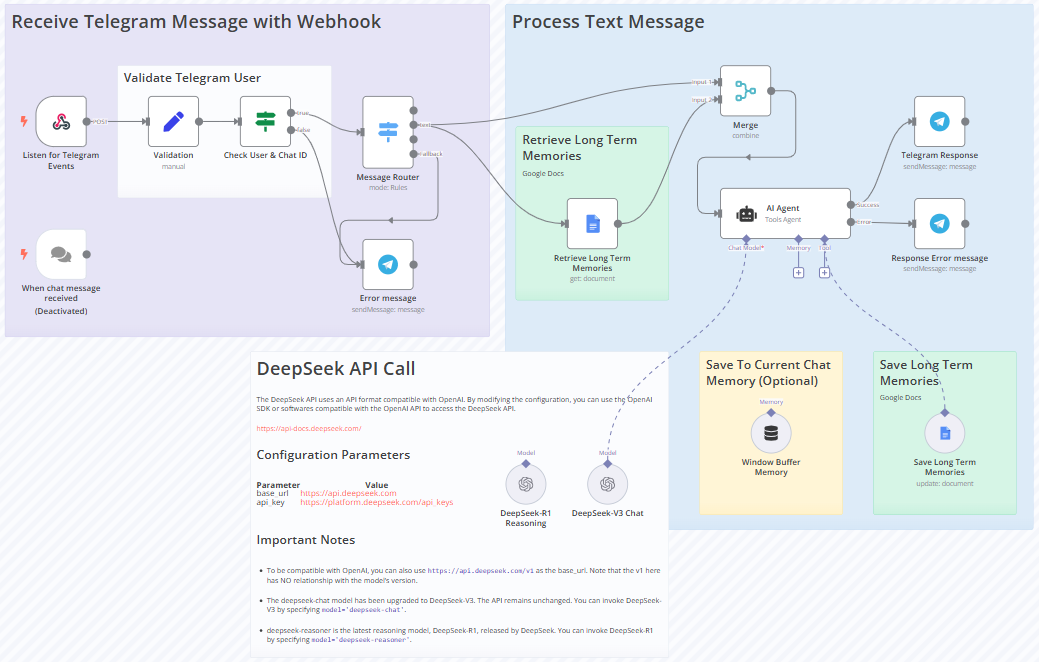
15 Practical AI Agent Examples to Scale Your Business in 2025 …
This tutorial highlights n8n’s no-fuss approach: Visual connections replace code, and pre-configured nodes handle the heavy lifting.
Real-World Use Cases: AI Automation in Action
n8n’s versatility shines in diverse applications, proving how it simplifies AI for practical use.
Customer Support Chatbots
Build a RAG-based chatbot that queries company docs for accurate answers. Integrate with WhatsApp or Telegram: User asks a question → n8n retrieves context from a vector store → LLM generates response. This automates support, reducing response times by 80%.
Data Extraction and Analysis
For sales teams, automate call data syncing. n8n pulls audio from tools like Zoom, transcribes with AI, extracts insights (e.g., sentiment analysis), and updates CRM systems. No manual entry needed.
Marketing Research Assistants
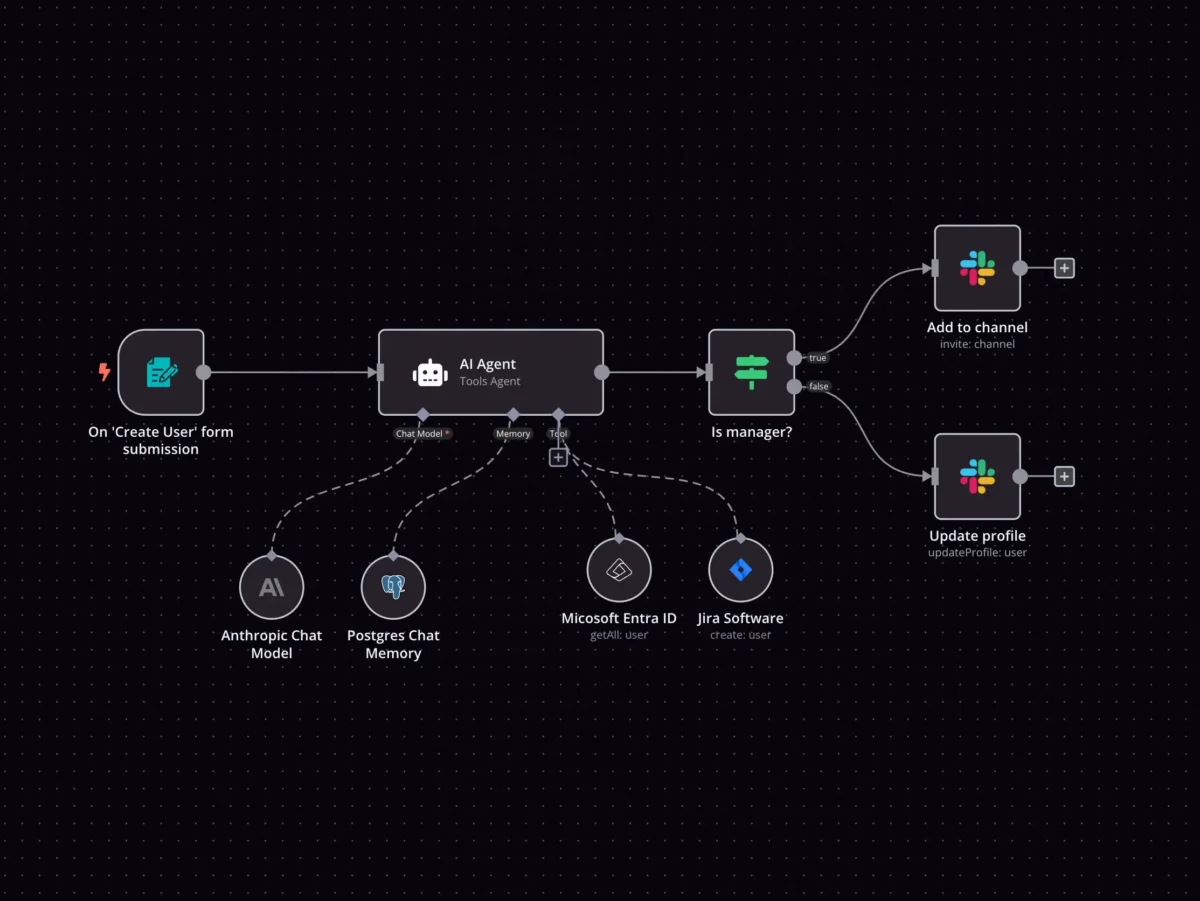
Create a multi-agent system: One agent scrapes web data, another analyzes trends with LLMs, and a third generates reports. n8n orchestrates this, making deep research effortless.
IT Operations and Security
An AI assistant monitors emails for threats: Classifies messages, flags anomalies, and alerts teams. n8n’s SecOps templates make setup quick.
Passport Photo Validation Example
As detailed in n8n’s docs, import images, resize them, use Gemini for multimodal checks (e.g., background color, focus), and output validity reports. This showcases handling unstructured data easily.
These cases demonstrate n8n’s ability to adapt AI to specific needs without complexity.
Benefits of Using n8n for AI Automation
Adopting n8n yields tangible advantages:
- Productivity Boost: Automate repetitive tasks, freeing time for innovation. Businesses report 3x faster development than code-based tools.
- Cost Efficiency: Event-driven execution minimizes LLM calls, reducing API costs. Self-hosting eliminates subscription fees for basics.
- Error Reduction: AI’s adaptive nature, combined with n8n’s fallbacks, ensures reliability—cutting human errors by up to 90%.
- Scalability: From simple scripts to enterprise multi-agent systems, n8n grows with you. Git-based deployments and monitoring support large-scale ops.
- Security and Compliance: Full control over AI deployment, with guardrails for ethical use.
- Community Support: A vibrant ecosystem with monthly template updates and forums for troubleshooting.
Compared to competitors like Zapier (more limited in AI depth) or Make (less flexible integrations), n8n stands out for its open-source ethos and AI focus.
Advanced Tips for Mastering n8n AI
Once comfortable, elevate your automations:
- Multi-Agent Systems: Chain multiple AI agents for complex tasks, like research → analysis → action.
- Custom Code Integration: Add Python for niche algorithms within nodes.
- Hybrid Workflows: Mix AI with human steps for oversight in critical processes.
- Optimization: Use min_retries and cost trackers to refine efficiency.
- Community Resources: Explore n8n’s blog and YouTube for advanced tutorials.
Conclusion: Embrace Easy AI Automation with n8n
n8n demystifies AI automation, transforming it from a specialist skill into an everyday tool. Its visual editor, templates, integrations, and robust features make building intelligent workflows fast, fun, and effective. In 2025, as AI becomes ubiquitous, tools like n8n ensure you’re not left behind—whether automating personal tasks or scaling business operations. Start today: Install n8n, experiment with a template, and watch your productivity soar. The future of automation is here, and it’s easier than ever.