

Every student has, at some point, written a study schedule on a Sunday night and abandoned it by Wednesday. The problem was rarely motivation. It was the plan itself — built on optimistic guesses about how much free time exists, how long a task actually takes, and how a body and brain feel after eight hours of classes.
An AI study planner is designed to fix exactly that gap. Instead of you manually blocking out hours based on a hopeful estimate, an AI system looks at your actual calendar, your deadlines, and your workload, then calculates a realistic schedule — and adjusts it automatically when life gets in the way. In 2026, this category has moved from a novelty into one of the most practical uses of artificial intelligence for students, professionals studying for certifications, and lifelong learners alike.
This guide explains what an AI study planner actually does, the science behind why it works, how to build one using free tools you probably already have, and the mistakes that quietly sabotage most study schedules before they start.

What Is an AI Study Planner, Exactly?
At its core, an AI study planner is software that takes three inputs — your commitments, your deadlines, and the time you have available — and outputs a study schedule that’s mathematically realistic rather than emotionally optimistic.
Traditional planners (a paper agenda, a basic to-do list, a wall calendar) require you to do all the thinking: figuring out when you’re free, how long each task will take, and what to prioritize when everything feels urgent. An AI planner takes over that cognitive load. You describe what needs to get done — “10-page essay due Friday, 3 hours of reading due Monday, chemistry midterm in nine days” — and the system finds the open slots in your existing calendar, sequences the work, and books it in.
The more advanced tools go a step further. They read your course syllabus and extract every deadline automatically, sync with your school’s learning management system, recalculate the entire week when you skip a session, and even flag when your workload for a given week is mathematically impossible to complete on time — something a static planner will never tell you.
The Science Behind Why This Actually Works
The reason time-blocked, specific scheduling outperforms a general to-do list isn’t just a productivity trend — it has real research behind it. Psychologists Peter Gollwitzer and Paschal Sheeran studied what are called “implementation intentions”: plans that specify exactly when and where an action will happen, rather than a vague intention to “study more.” Across dozens of independent studies involving thousands of participants, this kind of specific planning produced a meaningful, measurable increase in whether people actually followed through on their goals.
This is the entire premise behind AI study planners. A to-do list that says “study for chemistry” is an intention. A calendar block that says “Tuesday, 4:00–5:30 PM, chemistry Chapter 7 practice problems” is an implementation intention — and it’s dramatically more likely to happen. AI doesn’t change human psychology; it just makes it fast and effortless to generate specific plans instead of vague ones, at a scale no student would have the patience to do manually every week.
Core Features Worth Looking For
Not every tool that markets itself as “AI-powered” actually behaves intelligently. Many are simply a digital to-do list with a chatbot bolted on. Before choosing a tool — or building your own system — look for these capabilities:
Automatic scheduling into real calendar gaps. The planner should look at your existing commitments (classes, work shifts, sports practice) and only schedule study sessions into genuinely free time, not just list tasks with due dates.
Dynamic rescheduling. If you miss a session or a deadline shifts, a genuinely useful planner recalculates the rest of your week instead of leaving you with an outdated plan you have to fix manually.
Deadline and syllabus extraction. The best tools can read an uploaded syllabus or sync with a learning management system and pull out every assignment, exam, and grading weight automatically, rather than requiring you to type each one in by hand.
Workload reality checks. A genuinely intelligent planner will tell you when your to-do list exceeds your available hours — information that matters far more before a crunch week than during it.
Subject-specific study blocks, not just generic tasks. Reading, problem sets, essay writing, and flashcard review all require different amounts of focus and different optimal session lengths. Tools that distinguish between these produce more realistic plans than ones that treat every task the same.
How Different Tools Approach the Problem
The AI study planner space has split into a few distinct approaches, each suited to a different kind of student.
All-in-one AI workspaces combine note-taking, task databases, and AI-generated schedules in a single tool. You can ask the AI to draft a weekly study plan, summarize lecture notes, and build a semester dashboard, all from the same workspace. The trade-off is that the AI generates a plan when you ask for one, but it typically doesn’t monitor your progress or automatically rebuild the schedule if you fall behind — you have to prompt it again.
Auto-scheduling calendar apps take a more hands-off approach. You describe your tasks and deadlines, and the software finds open slots in your actual calendar and books them in itself, shifting things around automatically as new tasks and conflicts appear throughout the week. This category tends to feel the most “alive,” since the schedule keeps adapting without you managing it, though it usually requires a paid subscription once you’re past a trial period.
Student-specific planners are built around the academic calendar rather than general productivity. They handle rotating class schedules, exam countdowns, and assignment tracking in a way general-purpose apps often handle clumsily, though their AI features tend to be lighter — more assistant than autopilot.
Syllabus-reading, LMS-syncing planners represent the newest wave. Instead of you manually entering every assignment, these tools connect (read-only) to platforms like Canvas, Blackboard, or Moodle and use AI to parse an uploaded syllabus PDF directly into a structured timeline of deadlines, exam dates, and grading breakdowns. For students juggling five or six classes, this removes the single biggest source of planner abandonment: the tedious setup process.
Prompt-based planning with a general AI assistant. You don’t strictly need dedicated software. A capable AI assistant like Claude or ChatGPT can build a full study system from a well-written prompt — a weekly schedule, a spaced-repetition review calendar, or a triage plan for exam week — at no cost beyond what you’re already paying for the assistant.
Build Your Own AI Study System in 15 Minutes
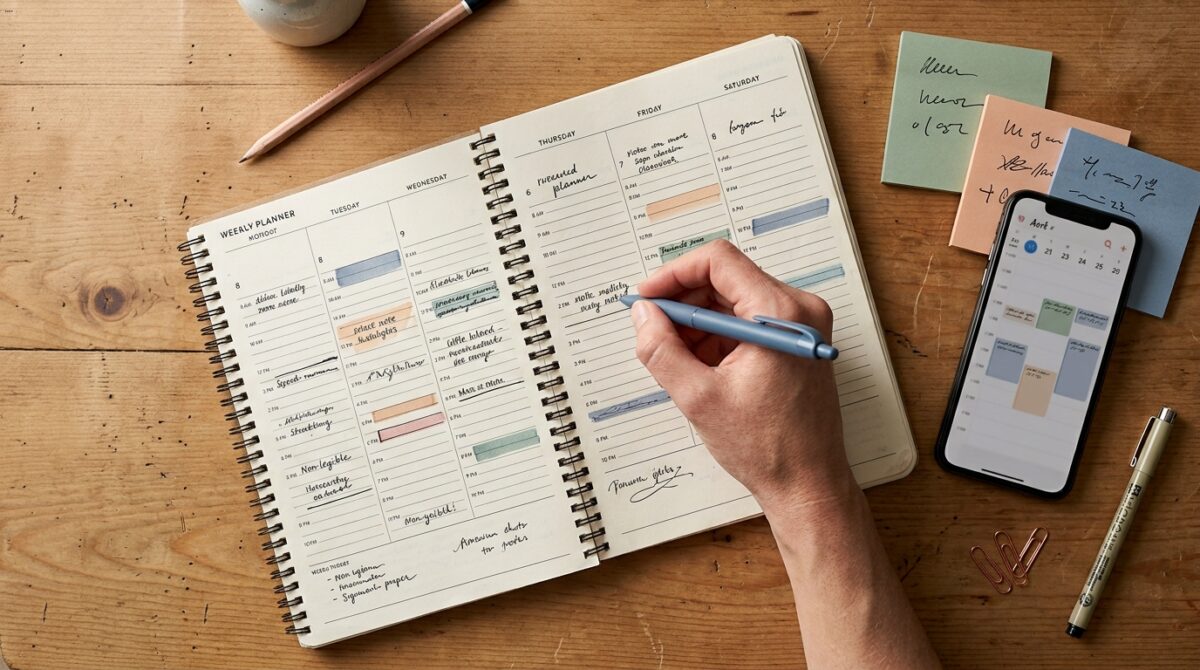
You don’t need to pay for specialized software to get most of the benefit. Here’s a workflow you can set up today using tools you likely already have access to.
Step 1: Centralize every deadline in one place. Open your syllabi for every class and list out every assignment, quiz, and exam with its due date and weight toward your final grade. If your AI assistant supports document uploads, paste or upload each syllabus and ask it to extract this information into a single table — this alone saves most students an hour of manual work.
Step 2: Calculate your real available hours. Be honest about your week: classes, work, commute, sleep, and the two or three hours a day you’re realistically not going to study no matter what the plan says. This number is almost always smaller than students initially estimate, and it’s the single most common reason study plans fail — they’re built for a version of the week that doesn’t exist.
Step 3: Ask your AI assistant to build the schedule. Give it your deadline list, your available hours, and any subject-specific priorities (a class you’re struggling in, an exam worth 40% of your grade). Ask for a specific, day-by-day plan with start and end times, not a vague list of tasks.
Step 4: Review and adjust for energy, not just time. AI can calculate availability, but it doesn’t know that you focus best in the morning or that your brain is fried after a three-hour lab. Move the highest-difficulty subjects into your genuinely best hours and save lighter review tasks for when your energy is lower.
Step 5: Rebuild weekly, not daily. Set a fixed time — Sunday evening works well for most students — to update the plan with anything that changed. Trying to adjust the schedule every single day creates more friction than it solves.
The Exam-Week Triage Strategy
One of the most useful things an AI planner can do that a static schedule can’t is help you make hard trade-off decisions during crunch periods. When you have three exams in five days and clearly not enough hours to master all three equally, the honest question isn’t “how do I study for everything” — it’s “how do I allocate my limited hours to maximize my overall outcome.”
You can ask an AI assistant directly: describe each exam, its date, and its weight toward your final grade, state your total available study hours, and ask it to build a triage plan that maximizes your expected outcome across all of them rather than treating each exam in isolation. Sometimes the mathematically optimal strategy is accepting a lower grade on one exam to protect your performance on the other two — a trade-off that’s uncomfortable to make manually but obvious once it’s laid out numerically.
Common Mistakes That Sabotage AI Study Plans
Treating the AI’s first draft as final. An AI-generated schedule is a starting point based on the information you gave it. If you don’t tell it about your energy patterns, existing commitments, or subject difficulty, the first version will be technically correct and practically unworkable.
Overloading the calendar with no buffer time. A plan with zero slack fails the moment anything goes wrong — a longer-than-expected assignment, an unplanned commitment, a bad night’s sleep. Build in buffer blocks the AI can absorb disruptions into.
Ignoring subject-specific study methods. Reading a textbook chapter, drilling flashcards, and writing an essay draft all require different formats of focused time. A schedule that just says “study” for two hours without specifying the method tends to default to whatever feels easiest in the moment, which is rarely the most effective use of that block.
Rebuilding the plan too often. Constantly regenerating the schedule in response to every small change creates decision fatigue and makes the plan feel unstable. Stick to a weekly rebuild rhythm and let daily adjustments be minor.
Frequently Asked Questions
Do I need a paid app to build an AI study planner, or can I just use ChatGPT or Claude? A general AI assistant can build a comprehensive study schedule, a spaced-repetition review calendar, and an exam-week triage plan entirely through prompts, at no extra cost. Dedicated apps add automatic calendar syncing and continuous rescheduling, which is convenient but not strictly necessary.
How is an AI study planner different from a Notion template? A template gives you a static structure you fill in yourself. A true AI study planner actively generates and adjusts the schedule based on your actual deadlines and availability, recalculating when circumstances change instead of staying frozen from the day you built it.
Can an AI planner read my actual class syllabus? Some of the newer, student-specific tools can — you upload a syllabus PDF and the AI extracts every assignment, exam date, and grading weight automatically. If your current tool can’t do this, a general AI assistant can often do the same extraction manually when you paste in the syllabus text.
Is time-blocking actually better than a simple to-do list? Research on implementation intentions consistently shows that plans specifying exactly when and where a task will happen are followed through on at a meaningfully higher rate than general intentions or open-ended to-do lists. This is the core mechanism AI study planners are built to automate.
Final Thoughts
The value of an AI study planner isn’t the novelty of having artificial intelligence involved in your homework — it’s that it removes the tedious, error-prone parts of planning that cause most schedules to collapse within the first week. Whether you use a dedicated app, a general AI assistant with a well-written prompt, or a hybrid of both, the underlying principle is the same one researchers identified decades before AI existed: specific, realistic, time-blocked plans get followed. AI just makes building one take minutes instead of hours.