AI for video creation is changing how businesses, creators, marketers, educators, and entrepreneurs plan, produce, edit, and publish video content. Tasks that once required cameras, editing software, voice talent, motion graphics, scripting, and long production timelines can now be assisted by artificial intelligence.
The biggest advantage of AI video creation is not simply that it can make videos faster. Its real value comes from helping creators turn ideas into structured, useful, audience-focused content with fewer technical barriers.
Whether you want to create social media videos, YouTube content, promotional videos, educational lessons, product demonstrations, training materials, or faceless videos, AI can support almost every stage of the workflow.
This guide explains what AI video creation is, how it works, what types of videos you can make, which tasks AI can automate, what limitations to understand, and how to build an efficient AI-powered video workflow.
1. What is AI video creation?
AI video creation refers to using machine learning models to generate, edit, or enhance video content automatically, based on inputs like text prompts, images, audio, or existing footage.
Instead of shooting footage with a camera and editing it by hand, a creator describes what they want — “a golden retriever running through a field at sunset, cinematic lighting” — and an AI model generates the video directly. Other tools use AI to speed up traditional editing: removing filler words, adding captions, matching cuts to music, or generating a talking avatar from a script.
There are two broad categories worth understanding upfront:
- AI video generation — creating new video footage from scratch (text-to-video, image-to-video)
- AI-assisted video editing — using AI to accelerate or automate parts of a traditional editing workflow
How does AI video generation actually work?
AI video models are trained on massive datasets of video and image-text pairs, learning how objects move, how light behaves, how camera shots are framed, and how scenes are composed over time. When given a prompt, the model predicts a sequence of frames that are visually and physically consistent with each other, then renders them into a moving clip.
Most modern systems use a technique called diffusion, where the model starts with visual noise and gradually refines it into a coherent video, guided by the text or image input. Newer models add native audio generation, meaning dialogue, ambient sound, and sound effects are generated alongside the visuals rather than added afterward.
| Input type | What you provide | Common use case |
|---|---|---|
| Text-to-video | A written prompt describing the scene | Concept visualization, social clips, ads |
| Image-to-video | A still image (product photo, artwork, portrait) | Animating product shots, bringing photos to life |
| Video-to-video | Existing footage plus a style or edit instruction | Style transfer, reshoots, de-aging, background swaps |
| Script-to-avatar | A written script | Talking-head presenter videos, training content |
What Can AI Be Used for in Video Creation?
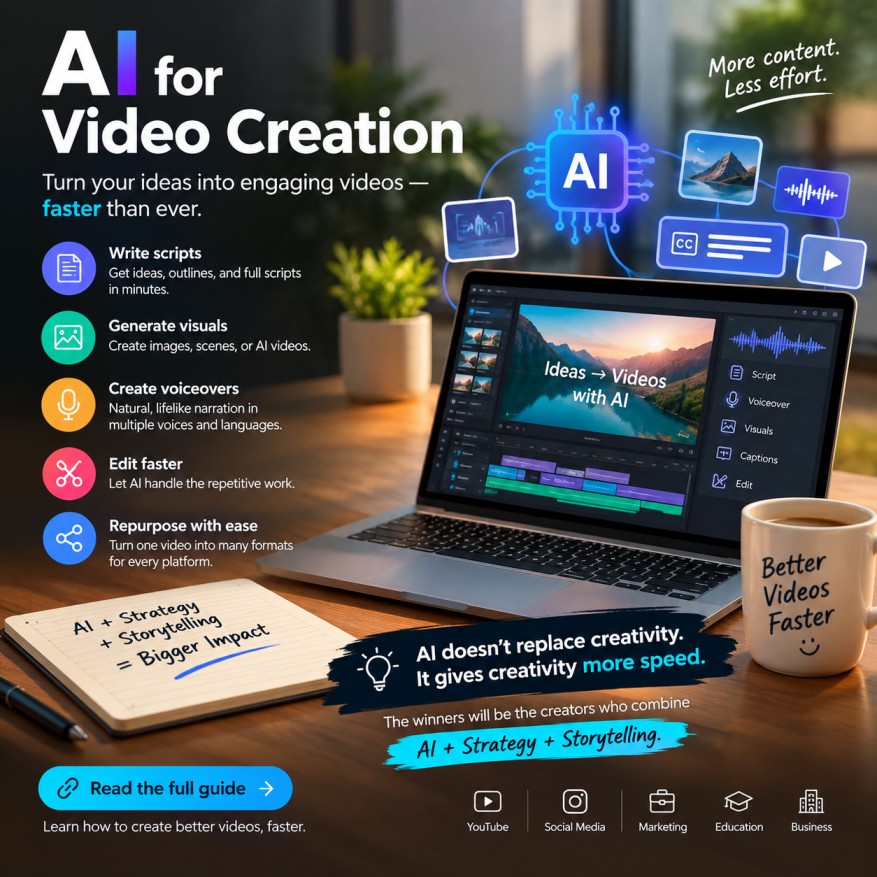
AI can be used for nearly every stage of modern video production, from the first idea to the final published file.
Common applications include:
AI Video Script Writing
AI can help generate video scripts based on a topic, audience, format, and desired outcome.
For example, a creator can request a script for:
- A YouTube tutorial
- A 30-second social video
- A product explainer
- An educational lesson
- A sales video
- A documentary-style video
- A customer onboarding video
- A training module
The best results usually come from giving the AI clear context rather than simply asking it to write a video.
Useful inputs include the target audience, subject, tone, desired duration, key points, call to action, and platform.
AI Storyboards and Scene Planning
AI can break a script into scenes and suggest what viewers should see while each section is spoken.
A storyboard might include:
| Scene | Narration | Visual | On-screen text |
|---|---|---|---|
| 1 | Introduce the problem | Person struggling with a task | “Too much time spent editing?” |
| 2 | Explain the solution | AI workflow illustration | “Automate repetitive work” |
| 3 | Show process | Screen demonstration | “Create → Edit → Publish” |
| 4 | Call to action | Product or website | “Learn the complete workflow” |
This makes production more systematic and reduces the risk of creating visuals that do not support the message.
AI-Generated Video
Some AI systems can generate video content from text descriptions, images, references, or combinations of inputs.
Depending on the platform and workflow, creators may use AI to generate:
- Short visual sequences
- Background footage
- Animated concepts
- Product scenes
- Illustrative sequences
- Stylized environments
- Motion graphics
- Concept visualizations
AI-generated video is particularly useful when traditional filming would be expensive, impossible, or unnecessarily time-consuming.
AI Voiceovers
AI voice technology can create narration without requiring the creator to record every line manually.
Voiceover workflows can be useful for:
- Educational videos
- Tutorials
- Product explainers
- Social media content
- Training materials
- Narrated presentations
- Faceless channels
However, voice quality is only one consideration. Pronunciation, pacing, emotional tone, consistency, and suitability for the audience also matter.
For sensitive or brand-critical content, creators should review the output carefully and ensure they have appropriate rights to use any voice model or voice likeness.
AI Video Editing
AI-assisted editing can help detect or automate repetitive tasks such as:
- Removing silences
- Creating captions
- Transcribing speech
- Reframing video
- Cleaning audio
- Synchronizing elements
- Finding highlights
- Formatting for different platforms
This is particularly useful for creators who publish frequently.
A person may still make the final editorial decisions, but AI can handle portions of the mechanical work.
What can AI-generated video be used for?
AI video is now used across a wide range of practical applications, including:
- Marketing and advertising product demos, social ads, and promotional clips without a full shoot
- Social media content — short-form video for Reels, TikTok, and YouTube Shorts
- Corporate training and L&D — avatar-led courses in dozens of languages without hiring on-camera talent
- Pre-visualization for film and TV — testing shots, blocking, and mood before committing production budget
- E-commerce — animating product photography into short showcase videos
- Explainer and educational content — turning written material (like an ebook or course) into digestible video summaries
- Personalized outreach — sales and customer success teams generating custom video messages at scale
What are the best AI video tools right now?
The “best” tool depends entirely on the job. As of late 2026, the landscape has matured into distinct specialists rather than one dominant platform.
| Tool | Best for | Typical starting price | Standout feature |
|---|---|---|---|
| Google Veo | All-around realism and audio | ~$20/month | Strong prompt adherence with native audio |
| Runway | Filmmaker-level creative control | ~$12–15/month | Camera control and precise editing tools |
| Kling | Budget-friendly cinematic motion | Pay-per-second credits | High-fidelity motion and multi-shot sequences |
| Luma Dream Machine | Fast iterative image-to-video | Freemium | Quick generation for rapid experimentation |
| HeyGen | Business avatars at scale | ~$24–29/month | Large avatar library and 100+ language dubbing |
| Synthesia | Enterprise training video | ~$18/month | Deep template library, compliance-friendly |
| Pika | Stylized, artistic clips | Freemium | Fast iteration with strong visual consistency |
| InVideo AI | End-to-end automated production | Freemium | Script, stock footage, and voiceover in one flow |
A practical rule of thumb: use a generalist model like Veo or Kling for realistic scene generation, an avatar tool like HeyGen or Synthesia for talking-head content, and an AI assisted editor for anything that starts from real footage you’ve already filmed.
How Can Businesses Use AI for Video?
Businesses can use AI video creation to produce marketing, education, customer support, sales, training, and internal communication content at greater scale.
Examples include:
Marketing
Create product explainers, advertisements, social videos, and educational content.
Sales
Develop product demonstrations, onboarding videos, and customized presentations.
Customer Support
Turn common support questions into short instructional videos.
Training
Convert written procedures into narrated training lessons.
Internal Communication
Create updates, announcements, process explanations, and onboarding materials.
The greatest business value often comes from converting information that already exists into useful video formats.
FAQ
Can AI create a complete video?
AI can assist with many parts of a complete video workflow, but human review is recommended for accuracy, creative quality, brand suitability, and final editing.
Can I create videos without filming myself?
Yes. AI can support faceless video workflows using generated narration, visuals, graphics, screen recordings, stock media, or generated video sequences.
Is AI video creation difficult?
AI can make video production easier for beginners, but producing consistently high-quality content still requires knowledge of storytelling, audience needs, editing, and quality control.
Can AI create YouTube videos?
Yes. AI can assist with YouTube topic development, scripts, visuals, narration, editing, captions, titles, descriptions, and content repurposing.
Can AI create short-form social videos?
Yes. AI is particularly useful for generating short scripts, hooks, captions, visual concepts, and multiple variations for short-form content.
Is AI-generated video expensive?
Costs vary depending on the tools, subscription plans, generation volume, editing requirements, and commercial usage needs.
Can AI replace video editors?
AI can automate some editing tasks, but human editors remain valuable for pacing, storytelling, creative decisions, consistency, and quality control.
Can AI create realistic videos?
Some AI systems can create highly realistic visual content, but realism and consistency can vary depending on the generation method, scene complexity, and workflow.