Project management is becoming increasingly data-driven, collaborative, and complex. Teams are expected to plan projects, manage deadlines, communicate with stakeholders, track resources, identify risks, and deliver results while dealing with more information than ever before.
This is where AI tools for project management can make a significant difference.
AI-powered project management software can help teams generate project plans, summarize meetings, organize tasks, identify potential risks, automate repetitive workflows, improve scheduling, and turn unstructured information into actionable work. Instead of replacing project managers, these tools can reduce administrative work and give managers more time to focus on decision-making, leadership, and strategy.
Modern platforms are moving beyond simple AI writing assistants. Tools such as ClickUp, Asana, monday.com, Jira, Notion, Microsoft Planner, Linear, and Reclaim now incorporate AI into planning, execution, reporting, collaboration, scheduling, or workflow automation.
In this guide, you will learn what AI project management tools are, how they work, which features matter most, how different platforms can fit different types of teams, and how to implement AI without losing human oversight.
What Are AI Tools for Project Management?
AI tools for project management are software applications that use artificial intelligence to assist with one or more stages of the project lifecycle.
Traditional project management software typically helps users create tasks, assign owners, set deadlines, visualize schedules, and track progress. AI adds another layer of intelligence by helping the software interpret information, generate content, detect patterns, make recommendations, or automate actions.
Depending on the platform, AI can support:
- Project planning
- Task creation
- Work breakdown structures
- Scheduling
- Resource allocation
- Meeting summaries
- Project reporting
- Risk identification
- Progress tracking
- Workflow automation
- Knowledge management
- Team communication
- Documentation
- Prioritization
For example, Microsoft Planner’s Copilot can generate tasks, goals, buckets, and even a complete plan from a prompt. Asana AI offers smart status, smart summaries, smart fields, and AI-powered chat for project information.
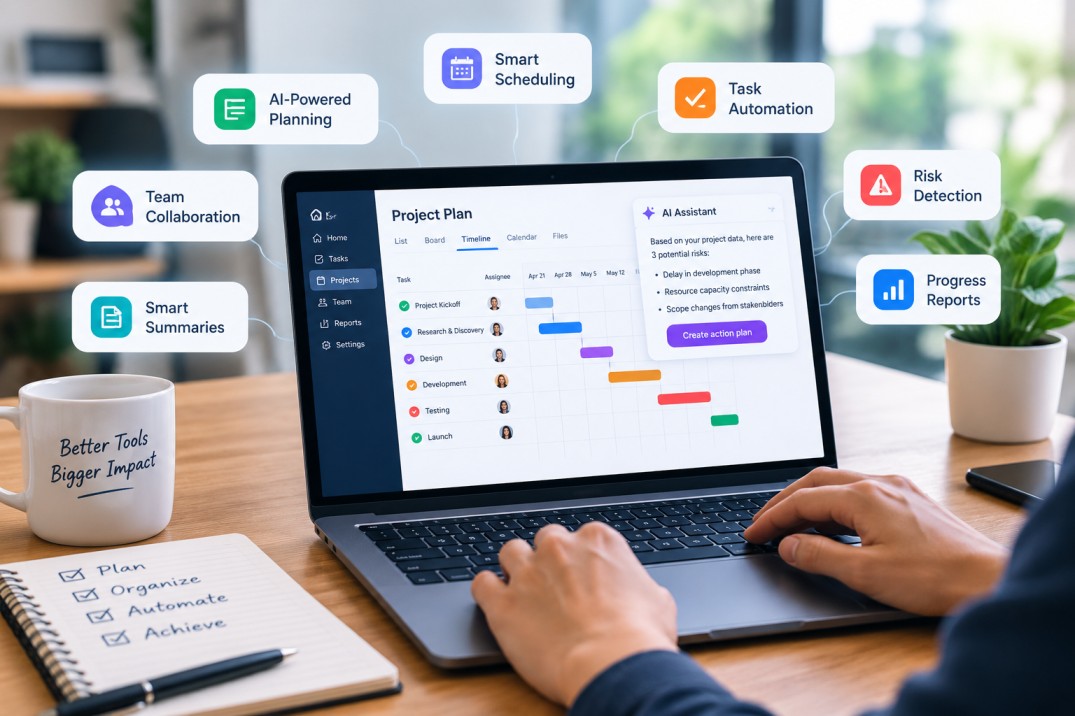
Meanwhile, tools such as Notion and Linear focus heavily on connecting project information and context to AI, while Jira uses Atlassian’s Rovo capabilities to bring AI agents into software development and project workflows.
The key idea is simple: AI helps transform project data into useful actions and decisions.
Why Use AI in Project Management?
A project manager’s work often contains a large amount of administrative activity. Updating task statuses, writing weekly reports, recording meeting decisions, checking deadlines, chasing stakeholders, and reorganizing project plans can consume hours every week.
AI is particularly useful when the work is repetitive, information-heavy, or dependent on large amounts of project data.
1. Save Time on Administrative Tasks
One of the most immediate benefits of AI project management software is automation.
Instead of manually converting a meeting discussion into ten separate tasks, AI can extract action items and organize them. Instead of reading dozens of updates to create a status report, AI can summarize the most important information.
monday.com, for example, describes AI capabilities for summarization, information extraction, project reporting, task routing, and workflow automation. Notion’s AI Meeting Notes can transcribe meetings, identify key points and action items, and connect those outputs to ongoing work.
2. Improve Project Planning
Starting a project from a blank page can be difficult.
AI can help turn a project brief into a structured starting point. It can suggest tasks, milestones, dependencies, questions, and potential risks.
The important word here is starting. AI-generated project plans should be reviewed by someone who understands the project’s actual objectives, constraints, stakeholders, and technical requirements.
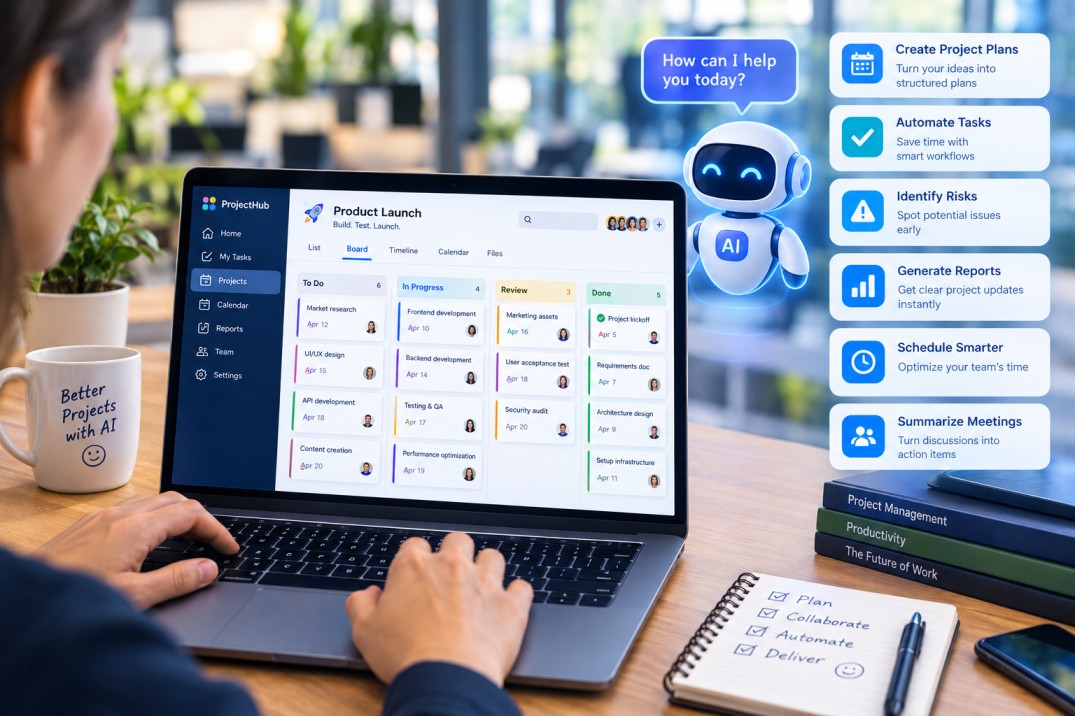
Microsoft Planner’s Copilot, for example, can generate a full plan that includes tasks, subtasks, buckets, and goals.
3. Make Project Reporting Faster
Project reporting is essential, but creating reports manually can be time-consuming.
AI can analyze project updates and turn them into concise summaries for different audiences. A project team might need detailed task information, while executives may only need progress, major risks, budget concerns, and decisions requiring attention.
AI-powered reporting can therefore reduce the time spent collecting and formatting information.
4. Identify Risks Earlier
Project risks often become visible in the data before they become obvious to people.
Repeated missed deadlines, increasing workloads, blocked dependencies, stalled approvals, and declining task completion rates can be warning signs.
Some modern project platforms are adding AI-driven risk analysis and forecasting capabilities. monday.com, for example, describes AI capabilities that analyze project timelines, task status, and resource availability to surface potential delays and workload bottlenecks.
However, an AI warning is not the same as a confirmed risk. Project managers should investigate the underlying evidence before taking action.
Key AI Features to Look for in Project Management Software
Not every product marketed as an “AI project management tool” provides the same capabilities. Before choosing software, evaluate the actual features rather than the AI label.
AI Project Planning
Look for tools that can turn natural-language instructions into structured plans.
For example:
“Create a 12-week product launch plan with marketing, engineering, QA, customer support, and launch activities.”
A useful AI system should ideally produce structured tasks that can then be edited and assigned.
The best workflow is not “AI creates everything and humans approve nothing.” A more practical approach is AI-generated first draft + human review + project-specific adjustments.
AI Task Management
AI task management can help generate tasks from documents, meeting notes, conversations, or project descriptions.
Useful capabilities include:
- Creating tasks from natural-language instructions
- Breaking large tasks into subtasks
- Categorizing work
- Adding priorities
- Detecting missing information
- Identifying overdue work
- Suggesting task assignments
Notion, for example, demonstrates workflows in which AI can convert unstructured notes into organized tasks and projects.
AI Scheduling
Scheduling is one of the more difficult areas of project management because availability, priorities, deadlines, meetings, and dependencies constantly change.
AI scheduling tools can analyze calendars and automatically move flexible work around changing commitments.
Reclaim is an example of a platform focused on intelligent scheduling. Its current product combines an AI assistant, planner, calendar functionality, and background agents designed to adapt schedules around priorities and commitments.
This category is especially useful for project managers and teams whose work depends heavily on individual availability.
AI Meeting Notes and Action Items
Meetings are a major source of project information, but they are also a major source of information loss.
A meeting can contain:
- Decisions
- New requirements
- Action items
- Risks
- Deadlines
- Questions
- Changes to project scope
AI meeting assistants can capture this information and convert it into a usable project record.
Notion’s AI Meeting Notes, for example, provides transcription, summaries, key points, and action items, while allowing meeting information to remain connected to the workspace.
Popular AI Tools for Project Management
Different project management tools approach AI differently. The right choice depends on your team’s workflow, project type, technical environment, and existing software ecosystem.
1. ClickUp
ClickUp has integrated AI capabilities through ClickUp Brain. The company describes Brain as a collection of AI capabilities spanning knowledge management, project management, and workplace writing.
Its AI Project Manager capabilities are designed to assist with recurring project-management activities such as progress reporting, standups, and team updates. Its knowledge functionality can also answer questions using context from documents, tasks, and projects.
Useful for: teams that want project tasks, documents, reporting, and AI assistance in one workspace.
Potential advantage: strong integration between work data and AI-generated context.
2. Asana
Asana has built AI directly into its work-management environment.
Its AI functionality includes Smart Status, Smart Chat, Smart Fields, and Smart Summaries. These features are designed to help users understand project status, retrieve project information, structure task data, and summarize projects and portfolios.
Useful for: teams that already use structured project and task management and want AI integrated into those workflows.
Potential advantage: AI operates on top of project and portfolio information rather than acting solely as a general-purpose writing assistant.
3. monday.com
monday.com has expanded its AI functionality across project planning, reporting, automation, task routing, dashboards, and AI agents.
Its current materials describe capabilities including natural-language interaction through monday sidekick, AI-powered summaries, information extraction, automated workflows, risk analysis, and AI agents that can perform certain project-related tasks.
Useful for: organizations managing cross-functional projects, operational workflows, and complex business processes.
Potential advantage: combining traditional workflow automation with newer AI-based capabilities.
4. Jira with Atlassian Rovo
Jira is particularly relevant for software development, product, and technical teams.
Atlassian’s Rovo capabilities bring AI agents into Jira workflows. Atlassian describes agents that can help create, organize, summarize, and act on work, while Rovo can use contextual information from connected systems.
Jira also emphasizes the use of connected organizational context through its Teamwork Graph.
Useful for: software engineering, product development, DevOps, and technical project management.
Potential advantage: deep connection between AI, issues, technical work, and development workflows.
5. Notion AI
Notion combines documentation, knowledge management, databases, tasks, projects, and AI.
This makes it particularly interesting for organizations that want project information to live alongside planning documents and meeting records.
Notion’s current AI capabilities include AI Meeting Notes, Notion Agent, enterprise search, and AI-assisted work across documents and databases. Its project-management guidance also emphasizes connecting project plans, docs, meetings, tasks, and decisions so AI can work with more context.
Useful for: knowledge-heavy teams, product teams, startups, agencies, and cross-functional groups.
Potential advantage: strong connection between project execution and organizational knowledge.
6. Microsoft Planner with Copilot
Microsoft Planner brings together task management and broader Microsoft work-management capabilities.
Copilot in Planner can generate tasks, goals, buckets, and complete plans based on prompts. It can also answer basic questions about existing plans.
Useful for: organizations already invested in Microsoft 365 and Teams.
Potential advantage: integration with the Microsoft ecosystem can reduce the need to move information between disconnected applications.
7. Linear
Linear has introduced AI agents that connect project discussions, issues, documentation, customer requests, and code.
Its AI capabilities include creating issues from conversations, drafting project updates, analyzing project status, and helping teams plan future cycles.
Useful for: product and engineering teams that value streamlined workflows.
Potential advantage: connecting conversations, product work, and technical execution.
AI Project Management Tools: Comparison
| Tool | Main AI Focus | Suitable For |
|---|---|---|
| ClickUp | Project assistance, knowledge, reporting, writing | Cross-functional teams |
| Asana | Status, summaries, task intelligence, AI chat | Structured project teams |
| monday.com | Automation, summaries, agents, risk insights | Operations and business teams |
| Jira + Rovo | AI agents, software workflows, work context | Software and technical teams |
| Notion AI | Knowledge, notes, documentation, tasks | Knowledge-intensive teams |
| Microsoft Planner + Copilot | Planning and task generation | Microsoft 365 organizations |
| Linear | Project updates, issue creation, cycle planning | Product and engineering teams |
| Reclaim | Intelligent scheduling and calendar optimization | Time-sensitive knowledge work |
The right tool is not necessarily the one with the largest number of AI features. The better question is:
Which AI capabilities solve the most expensive problems in your actual workflow?
How to Use AI Tools for Project Management: Step-by-Step
Implementing AI successfully does not require automating everything at once.
Step 1: Identify Repetitive Work
Start by documenting what your project manager does every week.
For example:
- Writing status reports
- Updating task descriptions
- Summarizing meetings
- Sending reminders
- Checking overdue tasks
- Collecting team updates
- Reorganizing schedules
- Preparing stakeholder summaries
These are often good candidates for AI assistance.
Step 2: Choose One High-Value Workflow
Do not begin by giving AI control over an entire portfolio.
Choose one workflow.
For example:
Meeting → Summary → Action Items → Tasks → Owners → Deadlines
This workflow has a clear beginning and end, making it easier to measure results.
Step 3: Give AI Better Context
AI output depends heavily on the quality of the information available to it.
A project workspace should contain accurate:
- Project goals
- Task descriptions
- Deadlines
- Ownership information
- Dependencies
- Documentation
- Meeting decisions
- Status updates
Poorly structured information can produce poor AI recommendations.
This is one reason modern platforms increasingly emphasize connected project data and organizational context. Notion, Jira, Linear, and ClickUp all position contextual information as an important part of AI-assisted work.
Step 4: Create Standard AI Prompts
Teams can improve consistency by using reusable prompts.
Example Project Status Prompt
“Review all project updates from the last seven days. Summarize completed work, delayed work, major risks, blockers, upcoming milestones, and decisions required from stakeholders.”
Example Risk Prompt
“Analyze the current project plan and identify tasks that may affect the critical path. Explain why each task is a risk and what information the project manager should verify.”
Example Meeting Prompt
“Summarize this meeting into decisions, action items, owners, deadlines, unresolved questions, and changes to project scope.”
Standard prompts make AI output more predictable and reduce the time spent repeatedly rewriting instructions.
Practical AI Use Cases in Project Management
Project Kickoff
AI can help transform a project brief into:
- Objectives
- Milestones
- Workstreams
- Deliverables
- Risks
- Stakeholder questions
- Initial task lists
The project manager should then validate assumptions and modify the plan.
Weekly Status Reporting
Instead of manually reviewing every task, AI can produce an initial summary covering:
Completed → In Progress → Delayed → At Risk → Next Steps
The manager can then verify important facts before the report reaches stakeholders.
Resource Management
AI can help identify overloaded teams, scheduling conflicts, and capacity concerns.
However, resource allocation also involves human considerations such as expertise, communication style, strategic importance, and team development. AI should support the decision rather than automatically determine it.
Scope Management
When new requests arrive, AI can summarize what changed and identify potentially affected tasks or documentation.
For example:
“This client request changes the payment workflow. Identify the project requirements, tasks, dependencies, stakeholders, and milestones that may need review.”
This is useful for detecting secondary effects that can easily be missed during busy project periods.
Project Retrospectives
After project completion, AI can analyze notes, status reports, delays, and outcomes to help structure a retrospective.
Teams can ask:
- What went well?
- What created delays?
- Where did communication break down?
- Which assumptions were incorrect?
- What should change in the next project?
The important point is that AI can organize the evidence, while the team interprets what it means.
Risks and Limitations of AI in Project Management
AI can improve efficiency, but it is not automatically accurate.
1. AI Can Produce Incorrect Information
Generated summaries, classifications, or recommendations may contain errors.
Atlassian explicitly notes that the quality, accuracy, and reliability of AI-generated information can vary.
Critical project decisions should therefore be reviewed by a responsible human.
2. Poor Data Creates Poor Results
If deadlines are missing, tasks are outdated, ownership is unclear, or project documentation is fragmented, AI may have insufficient context.
AI cannot reliably solve information-management problems that a team has not addressed.
3. Privacy and Security Matter
Before enabling AI features, organizations should understand:
- What data the tool can access
- Where data is processed
- Which integrations are connected
- What administrators can control
- How sensitive information is handled
- Which users can access AI-generated outputs
This is especially important for projects containing confidential customer, financial, legal, employee, or intellectual-property information.
4. Too Much Automation Can Create New Problems
Automation should remove unnecessary work-not remove necessary judgment.
For example, automatically changing task priorities, moving deadlines, or reassigning people without review could introduce errors that are more expensive than the original manual process.
A useful principle is:
Automate the routine. Review the important. Decide the strategic.
How to Choose the Right AI Project Management Tool
Before selecting a platform, evaluate five areas.
1. Project Type
A software engineering team may prioritize issues, dependencies, repositories, and development workflows.
A marketing team may prioritize campaign planning, approvals, content calendars, and stakeholder reporting.
2. Team Size
A small startup may prefer one flexible workspace.
A large enterprise may need advanced permissions, governance, integrations, reporting, and administrative controls.
3. Existing Technology Stack
Integration can be more important than the AI feature list.
A tool that works naturally with your existing email, calendar, communication, documents, development systems, and identity platform may provide more value than a technically impressive tool that creates another information silo.
4. Human Oversight
Ask:
Can we control what AI is allowed to do?
For low-risk tasks, automation may be appropriate.
For high-impact activities, teams may want human approval before AI takes action.
monday.com, for example, has recently added human-in-the-loop workflow functionality, while Atlassian provides permissions and administrator controls around AI and agents.
5. Measurable ROI
Do not evaluate AI only by asking whether employees like it.
Measure whether it improves outcomes.
Useful metrics include:
- Hours spent on reporting
- Time required to create project plans
- Meeting follow-up time
- Number of overdue tasks
- Time to identify risks
- Project cycle time
- Planning accuracy
- Stakeholder response time
Best Practices for Using AI in Project Management
Keep Humans in the Loop
AI is particularly effective at generating first drafts, summarizing information, organizing work, and spotting patterns.
Humans should remain responsible for important decisions.
Start With Low-Risk Tasks
Meeting summaries and draft status reports are generally easier starting points than fully autonomous resource allocation or deadline changes.
Keep Project Data Clean
Make sure tasks have clear owners, realistic deadlines, consistent statuses, and useful descriptions.
Create AI Governance Rules
Organizations should establish clear policies for:
- Approved AI tools
- Confidential information
- Human approval
- Data access
- Automated actions
- Review requirements
Review AI Output
Do not assume that an impressive-looking summary is necessarily correct.
A polished report can still contain a wrong deadline, inaccurate status, missing dependency, or incorrect assumption.
The Future of AI in Project Management
AI project management is moving from simple content generation toward more contextual and agent-based workflows.
Instead of asking AI to write a status report, teams can increasingly ask systems to analyze project information, identify issues, prepare recommendations, and in some cases perform defined actions.
Atlassian describes Rovo agents as configurable AI teammates that can interact with work, while monday.com is expanding AI agents and workflow capabilities. Linear similarly describes agents that can create issues, draft project updates, analyze project status, and assist with cycle planning.
This suggests a shift from:
“AI helps me do a task.”
to:
“AI helps coordinate a workflow.”
The project manager’s role does not disappear. Instead, the focus can move further toward strategy, communication, prioritization, stakeholder management, decision-making, and handling exceptions.
Final Thoughts
The most useful AI tools for project management are not simply the platforms with the most advanced AI marketing.
Their practical value comes from how effectively they connect AI to real project information and everyday workflows.
A strong AI project management system can help you plan faster, reduce administrative work, summarize complex information, identify potential risks, automate repetitive processes, and keep teams aligned.
But successful implementation depends on more than software. Teams need clear processes, reliable project data, appropriate governance, human oversight, and measurable goals.
A practical approach is to start small: choose one repetitive project-management workflow, introduce AI, measure the results, refine the process, and expand gradually.
The goal is not to replace project managers.
The goal is to give project managers better tools to spend less time managing administrative work and more time managing the project itself.
FAQ
What are AI tools for project management?
AI tools for project management are software platforms that use artificial intelligence to assist with planning, task management, scheduling, reporting, risk analysis, documentation, communication, and workflow automation.
How can AI help project managers?
AI can help project managers create project plans, generate tasks, summarize meetings, prepare status reports, identify potential risks, analyze workloads, organize documentation, and automate repetitive administrative tasks.
Can AI completely manage a project?
AI can automate or assist with many project-management activities, but fully autonomous project management is not appropriate for every situation. Human oversight is important for strategic decisions, stakeholder relationships, scope changes, complex risk decisions, and high-impact resource choices.
What is the best AI tool for project management?
There is no single tool that is ideal for every team. The appropriate choice depends on project type, team size, existing software, required integrations, security requirements, AI capabilities, and budget.
For example, Jira with Rovo is closely connected to software workflows, Notion focuses heavily on knowledge and documentation, Reclaim focuses on scheduling, and Microsoft Planner with Copilot is closely aligned with the Microsoft ecosystem.
Can AI create a project plan?
Yes. Some AI project management platforms can generate tasks, milestones, goals, or complete initial project plans from natural-language prompts. Microsoft Planner’s Copilot, for example, can generate plans containing tasks, subtasks, buckets, and goals.
However, AI-generated plans should be reviewed and customized before execution.